Most antidetect browser roundups just repeat the vendors' spec sheets. That makes it hard to tell which tools hold up. So we tested. We ran all 10 below through three fingerprint checkers (Pixelscan, Iphey, and CreepJS) on clean residential proxies, and re-checked every price and free tier for this update.
TL;DR
For most teams, the best antidetect browser is Multilogin. It is built for multi-account work across mobile and web, with real Android cloud phones and browser profiles in one subscription.
- Best all-rounder and value: GoLogin. Cheaper, stable, a real free tier, and the only one here with a native Android app.
- Best free tiers: GoLogin and Incogniton.
- Best for mobile and Android: GeeLark and Multilogin. Both run real cloud phones, not emulation.
- If you only need the data, not logged-in accounts: a web scraping API like ScrapingBee skips the browser.
No tool here is invisible. Passing a fingerprint checker means the profile holds together, not that you will get through. A clean residential proxy and human-like behavior decide as much as the browser.
Comparison table: best antidetect browsers
Use the table as a quick filter, then read the full entry for any tool that fits.
Pricing and free tiers verified July 2026 (Multilogin updated October 2026)
| # | Tool | Best for | Platforms | Starting price | Free plan |
|---|---|---|---|---|---|
| 1 | Multilogin | Mobile and web accounts, cloud phones plus browser profiles | Win, macOS, Linux (+ cloud phones) | $11/mo ($7.08 annual) | Yes, no time limit |
| 2 | GoLogin | Best all-rounder and value | Win, macOS, Linux, Android | $9/mo ($4.50 annual) | Yes, 3 profiles |
| 3 | AdsPower | Affordable scaling, built-in automation | Win, macOS, Linux | $9/mo ($7.20 annual) | Yes, 2 profiles |
| 4 | GeeLark | Mobile / Android cloud phones | Win, macOS, Linux (+ cloud Android) | ~$5/mo + usage | Yes, 2 phones, 30 min |
| 5 | Incogniton | Free persistent profiles | Win, macOS | $13.99/mo | Yes, 10 then 3 |
| 6 | Kameleo | Mobile emulation, developers | Win, macOS, Linux (+ mobile emu.) | €59/mo (~$64) | Yes, 2 browsers, 100 profiles, 300 min |
| 7 | Octo Browser | Fingerprint quality, scaled ops | Win, macOS, Linux, iOS app | €10/mo (~$11) | No |
| 8 | Nstbrowser | Automation / scraping at scale | Win, macOS, cloud | $29.90/mo | Yes, 500 profiles |
| 9 | Dolphin Anty | Media buying and affiliates | Win, macOS, Linux | $10/mo | Yes, 5 profiles |
| 10 | ixBrowser | Budget multi-accounting | Win, macOS | $3.99/mo | Yes, unlimited* |
*ixBrowser's free tier is unlimited profiles but caps at 10 new and 100 launches per day. Prices are in USD. Kameleo and Octo bill in EUR, converted approximately.
How we tested
Last tested: July 2026. Every price, free tier, and test result here was accurate as of that date. Antidetect tools change fast, so verify anything you are about to rely on.
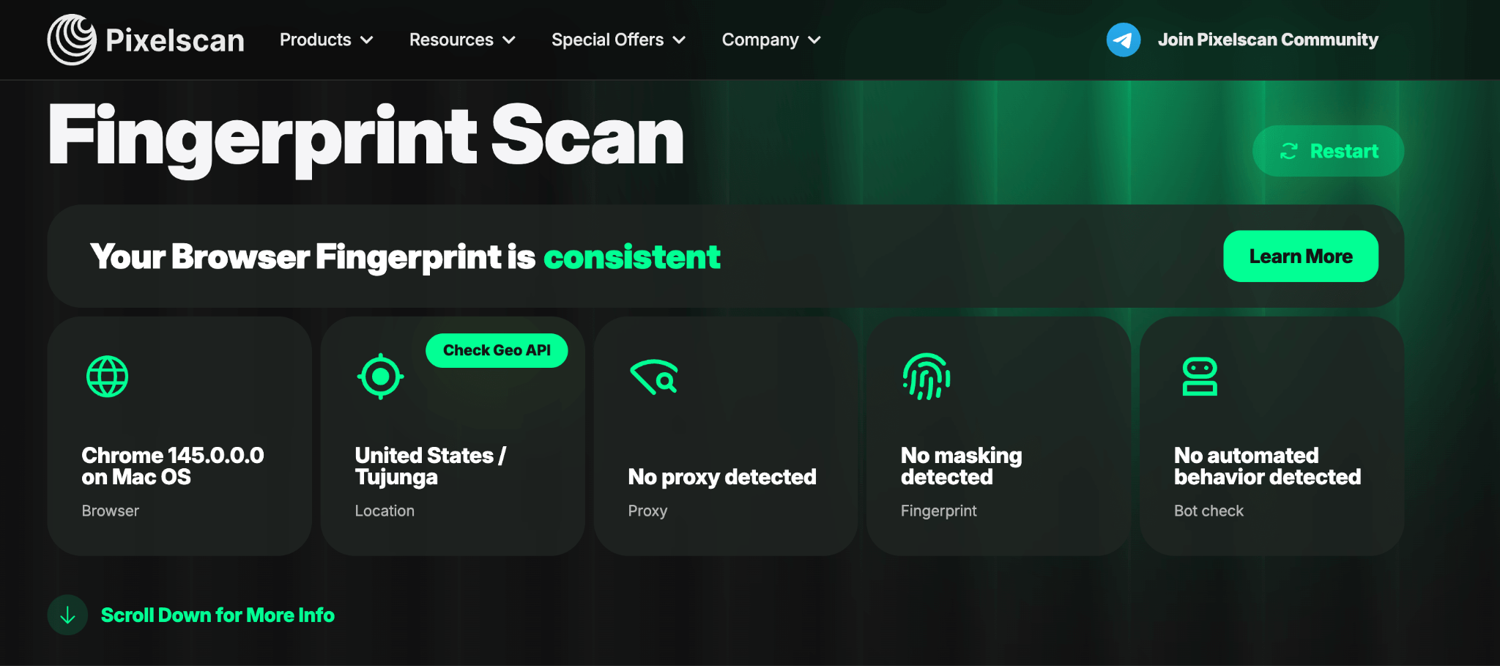
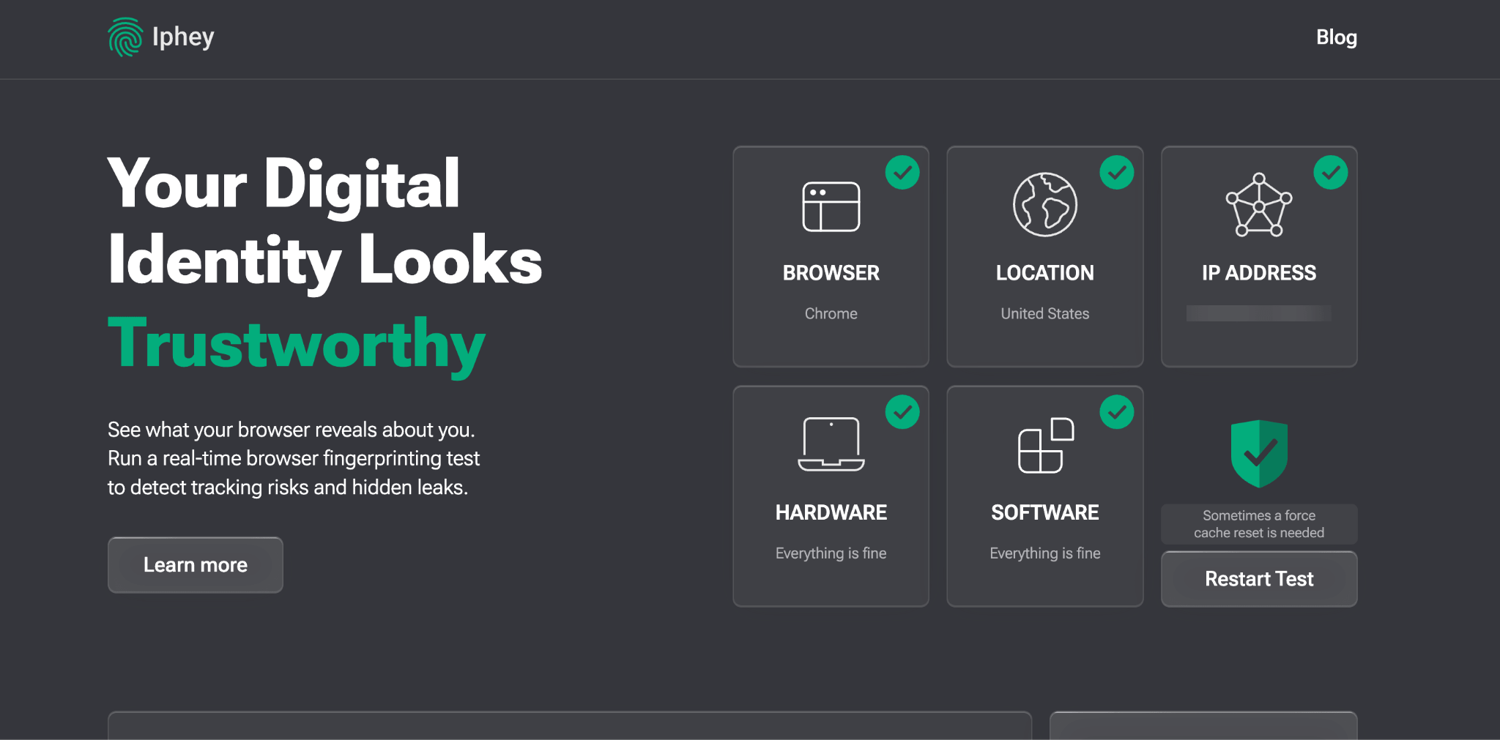
We tested each browser the way you would use it in practice. We made a fresh profile, paired it with a clean residential proxy, and ran it through three independent fingerprint checkers. Pixelscan checks if the fingerprint is consistent and if the proxy is clean. Iphey checks if it reads as a natural, real device. CreepJS is the strict, adversarial one that looks for spoofing and automation underneath.
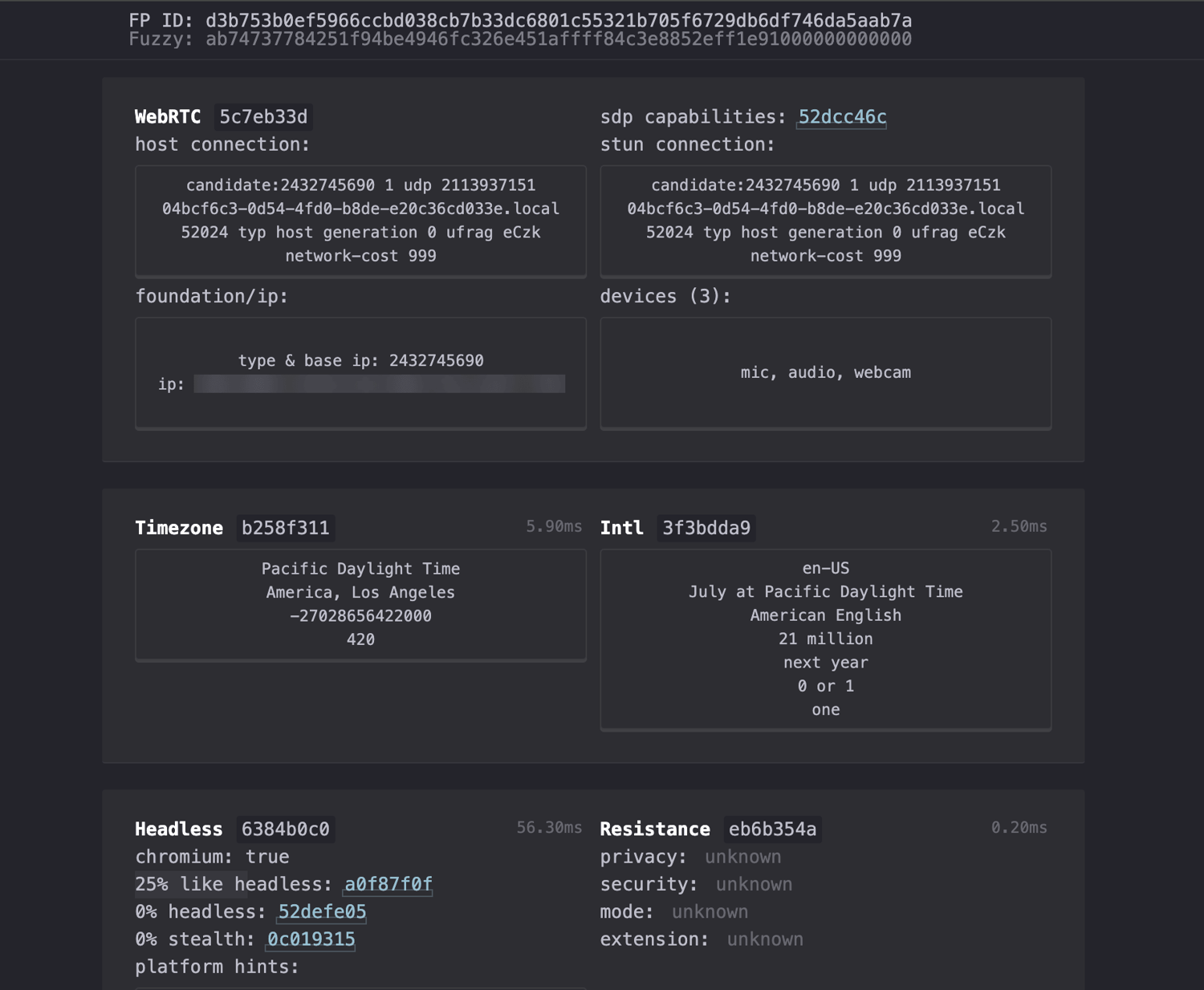
CreepJS reports how confident it is in the GPU it detects. It checks that a page's main thread and its background worker thread report the same hardware, since a real device never disagrees with itself. It flags a macOS user-agent that is not frozen to 10_15_7, the value real Chrome always sends. It can also scan localhost to find the local API server that antidetect apps run, which is a giveaway on its own. And a 0% headless / 0% stealth score means the session does not look automated.
These three checkers test fingerprint consistency, which is whether the device a profile presents holds together and reads as real. They do not test the four things 2026 detection now turns on. First, the TLS/JA3 handshake and HTTP/2 frame ordering underneath the browser. Second, on-page behavior like mouse movement and typing rhythm. Third, whether the automation driving the browser announces itself through the navigator.webdriver flag or CDP traces. Fourth, whether Cloudflare, DataDome, and HUMAN would keep clearing the session over time in production. A profile can pass all three checkers and still be stopped at a real anti-bot check. So read a pass below as one thing only. The browser is not exposing itself through its fingerprint. A pass is not proof the browser is invisible.
We ranked on five things, weighted in this order. First is fingerprint quality, which is whether the profile holds together as a consistent, real-looking device. This is the baseline. Second is stability, or whether it holds up over long sessions and many profiles. Third is automation support, meaning the API, Selenium, Puppeteer, Playwright, and how well it fits a scraping or agent stack. Fourth is platform coverage across Windows, macOS, Linux, Android, and cloud. Fifth is value, or what you get per dollar, free tiers included. Price and free-profile counts are a starting filter, not the decision. The tools that last are the ones whose identities stay consistent and whose automation holds up under real anti-bot.
We left two categories out on purpose. Session managers like Ghost Browser organize many logins in one window. But they do not give each profile a distinct, spoofed device fingerprint. So they are not true antidetect browsers. Windows-only niche tools like VMLogin, MuLogin, and Lalicat are too narrow for a general shortlist. We also dropped tools that have shut down. A few others with real followings did not make this round. MoreLogin runs a browser plus cloud phones, like GeeLark. Vision is reported to be the only one with full UDP support over SOCKS5 proxies. Undetectable is stealth-first, with automation built in. We have not run these three through the checkers, so none are ranked here yet.
The 10 best antidetect browsers, tested and ranked
This ranking is our overall default, weighted as described above. It is not a claim that number 1 beats number 6 for your job. Past the top, value, automation, and day-to-day usability do most of the tie-breaking. And in practice a clean residential proxy decides pass or fail more often than the gap between two clean-passing tools.
1. Multilogin
Best for: teams that manage mobile and web accounts and want a cloud Android phone platform with browser profiles in one product.
- Platforms: Windows 10+, macOS 14+ (native Apple Silicon), Linux (Ubuntu 22+). Cloud phones and browser profiles run from the same desktop app and subscription.
- Automation: Automate Multilogin cloud Android phones using the API, ADB, CLI, Python, or the OpenClaw skill for AI agents. For browser profiles, use the API, Selenium, Puppeteer, Playwright, or Postman to automate your workflows. API rate limits depend on your plan and apply at the workspace level, so all team members share the same limit.
- Fingerprint and stability: It is the depth leader in our test. A default profile (matched OS, clean proxy, no tuning) passed all three checkers cleanly. CreepJS read the genuine Apple GPU at "high confidence". Multilogin appears to use real hardware values rather than noise, which helps it stay consistent.
- Pricing: Free plan with no time limit and no credit card needed. Paid plans start at $11/mo, or $7.08/mo billed annually (Pro 10: 10 profiles, 1 GB proxy traffic, 60 mobile minutes), with residential proxies and mobile minutes included in every plan, and extra minutes from $0.0067 per minute. Free-plan proxy traffic and mobile minutes are one-time, and free profiles are deleted after 7 days of inactivity.
- Verdict: Choose Multilogin if you manage multiple accounts across mobile apps and web platforms. It combines Android cloud phones, browser profiles, residential proxies, and mobile minutes in one subscription. Keep in mind that cloud phones require a stable internet connection, and new users may need a little time to get familiar with the platform.
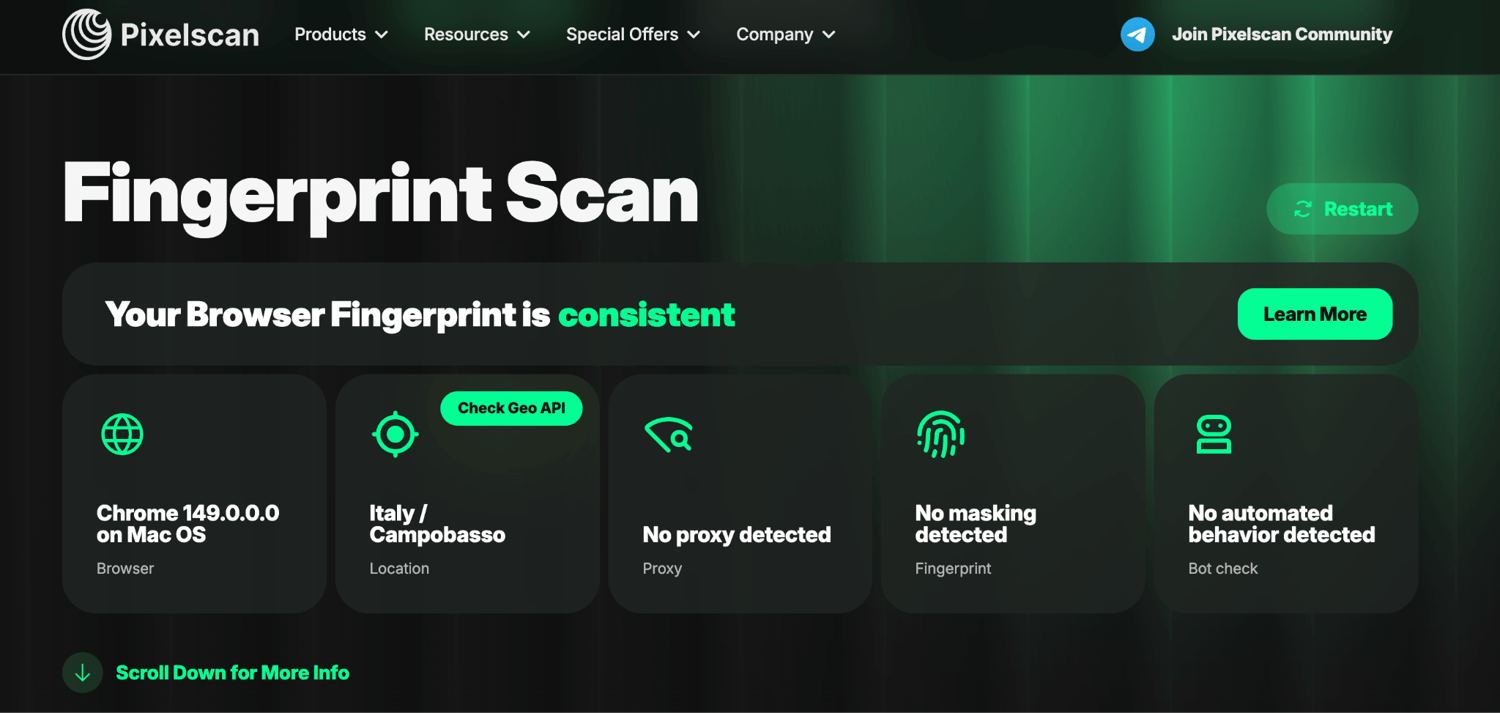
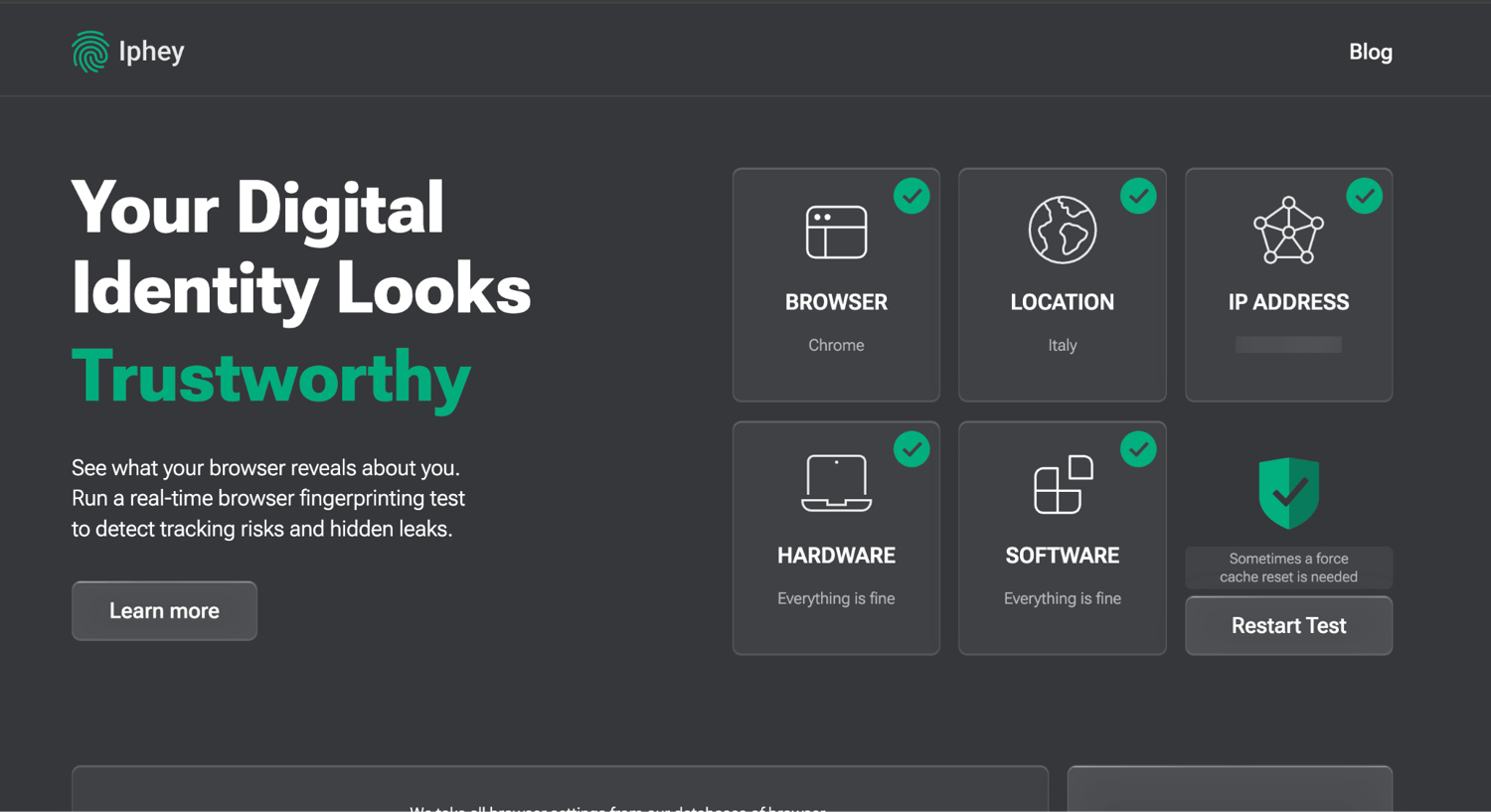
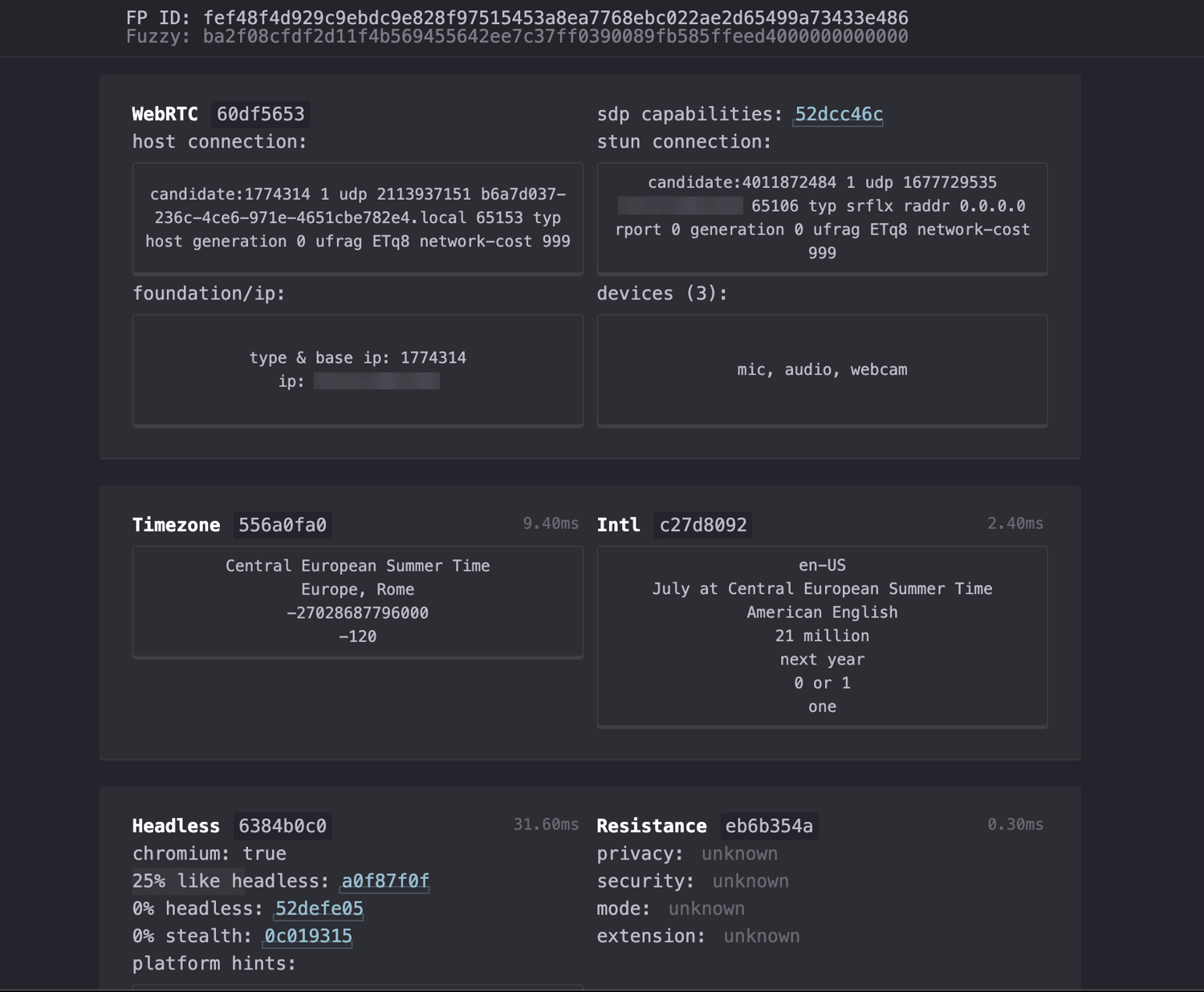
Our fingerprint test. Passes all three cleanly. On a default macOS profile with a clean residential proxy (Italy this session):
- Pixelscan: ✅ PASS. Fingerprint consistent, "No proxy detected", no masking, no bot behavior.
- Iphey: ✅ PASS. "Your Digital Identity Looks Trustworthy", all five green. The same check that flagged AdsPower by name passes Multilogin clean.
- CreepJS: ✅ clean. 0% headless / 0% stealth, no WebRTC leak, and the GPU read as a genuine Apple M4 Max at high confidence. This is the strongest fingerprint in our test. The deep scan turned up nothing inconsistent to flag. The limit here is not the fingerprint. It is the TLS and behavioral layers these checkers cannot see.
- One nit: the default masked language came out en-US on an Italian IP. It passed everything, but setting the language to the proxy country would be a little more natural.
2. GoLogin
Best for: the best all-rounder and best value, and the only major provider with a true native Android app.
- Platforms: Windows 11/10/Server 2016, macOS Ventura+, Linux (Ubuntu, Mint). It has a native Android app (the GoLogin app plus the Orbita browser, Android 10+). iOS is not supported. There are separate Cloud Browser and Cloud Android products for paid plans.
- Automation: REST API (300 to 1,200 requests per minute, not on free), official Selenium and Puppeteer guides, a Browser MCP for driving profiles from AI agents, and a Scraping Browser API. It runs on Orbita, GoLogin's own Chromium fork. Playwright is not officially advertised. It is CDP-compatible but unverified.
- Fingerprint and stability: It is widely reported to pass Pixelscan and Iphey cleanly and to be stable for beginners. Much of that praise traces back to GoLogin's own how-to guides, so we checked it ourselves.
- Pricing: The free tier is genuine: 3 profiles, no time limit (no API, team, or sharing). The cheapest paid plan is Professional at $9/mo monthly, or $4.50/mo billed annually. That gives 10 profiles, 1 seat, and 2 GB of proxy traffic.
- Verdict: If Multilogin is the premium pick, GoLogin is the one most teams should start with. It is cheaper, and it is the only one here with a native Android app.
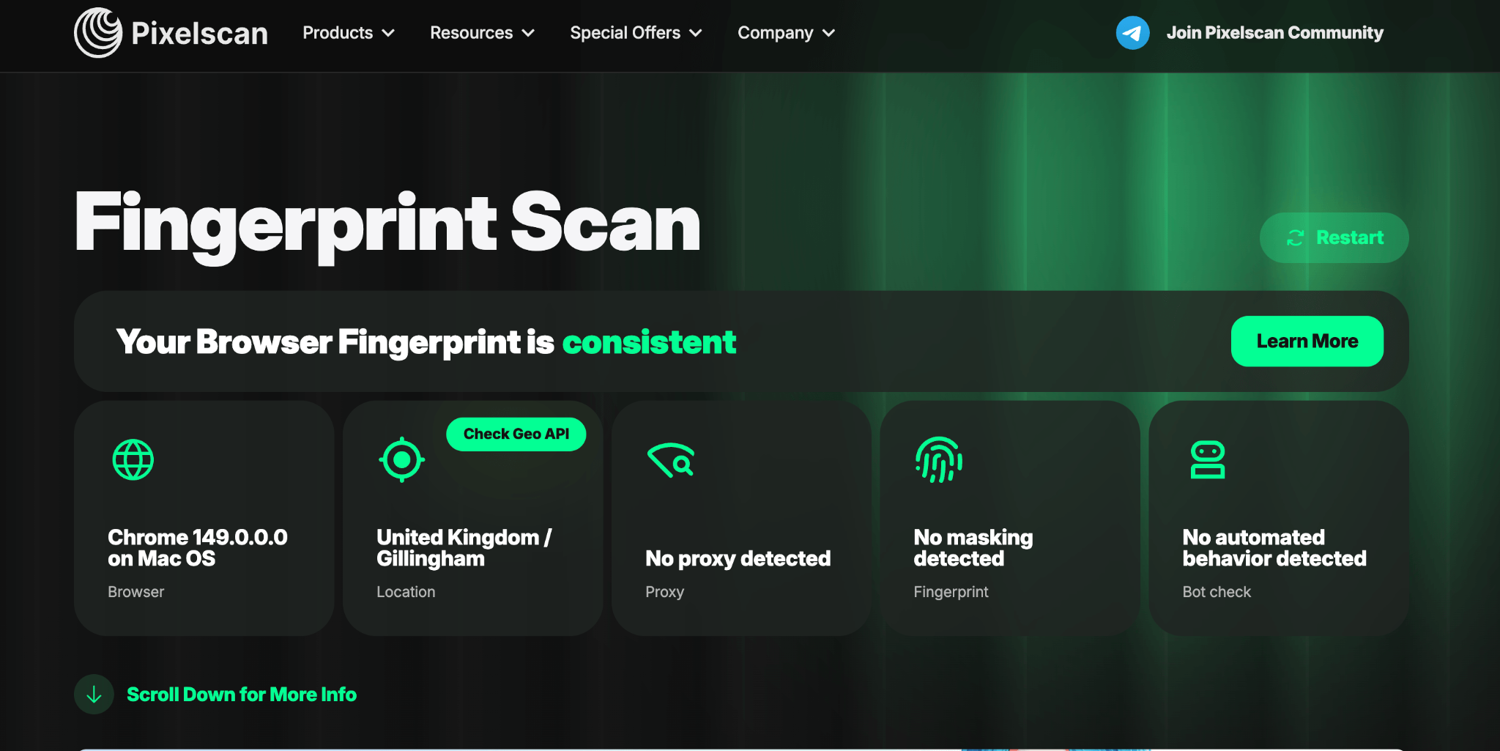
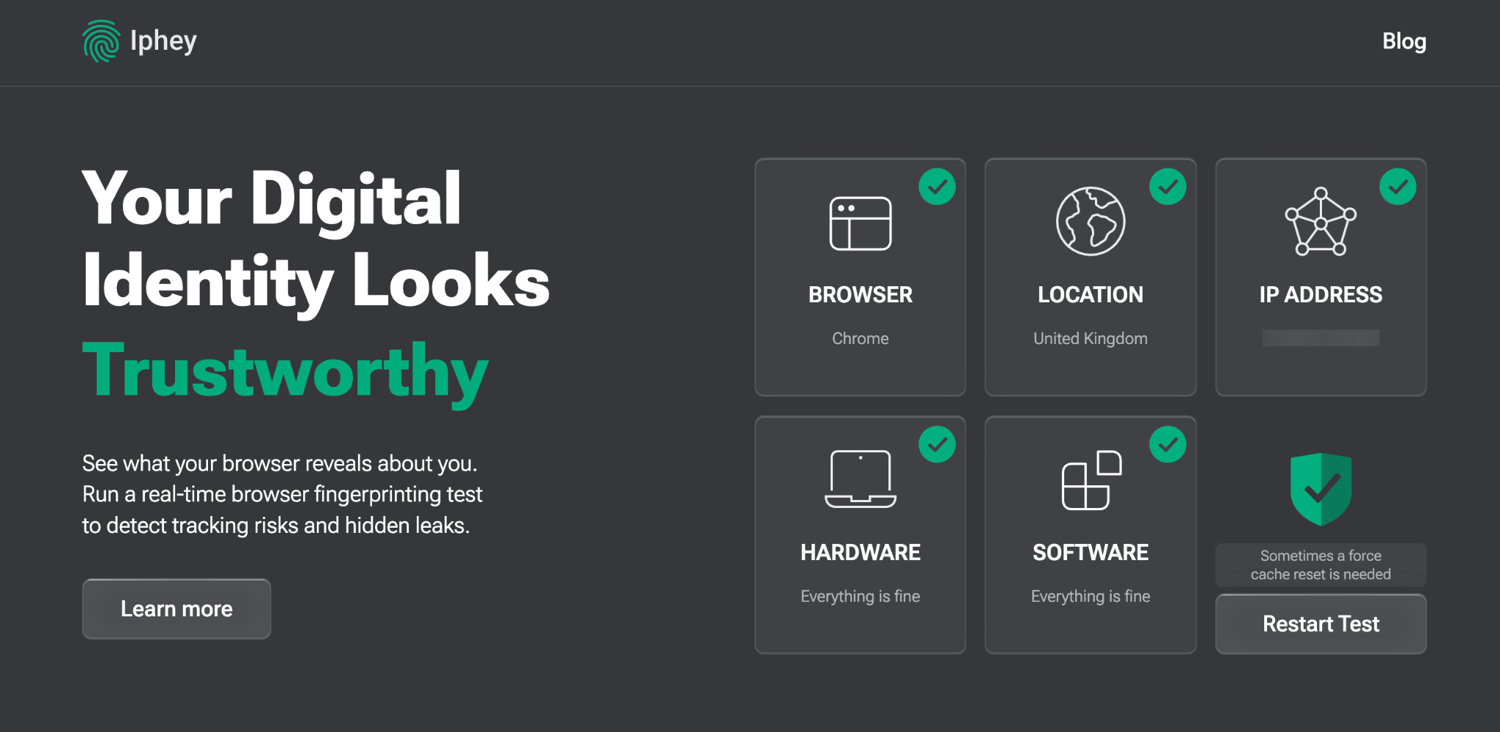
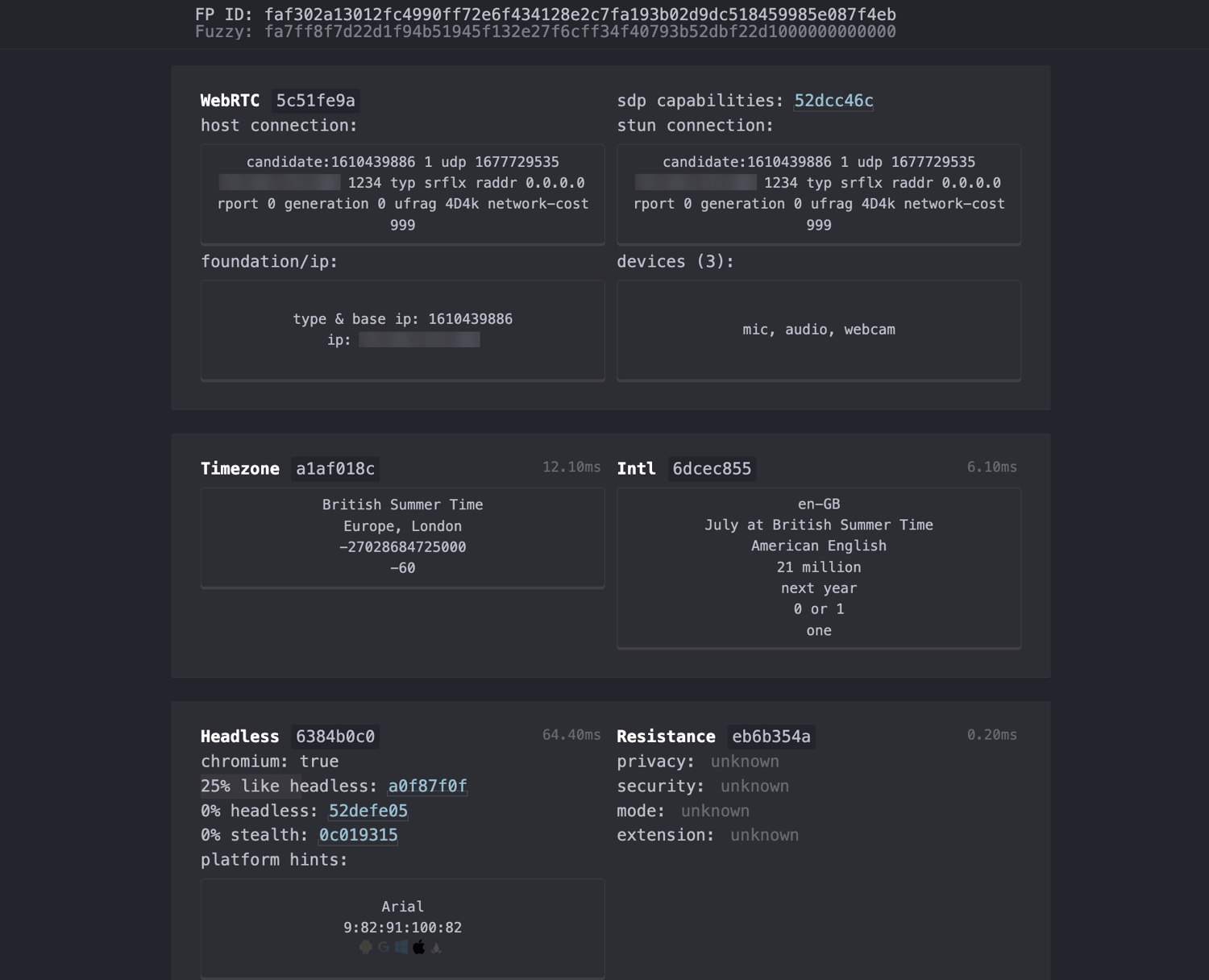
Our fingerprint test. Passes all three checkers, in one matched session. On a clean UK residential proxy, a single GoLogin profile cleared every check in sequence:
- Pixelscan: ✅ PASS. Fingerprint consistent, "No proxy detected", no masking, no automated behavior.
- Iphey: ✅ PASS. "Your Digital Identity Looks Trustworthy", all five categories green.
- CreepJS: ✅ clean. 0% headless / 0% stealth (not detected as automation), no WebRTC leak, a genuine Apple M1 GPU at high confidence, and timezone and locale consistent with the proxy. One deep-layer nit did show up. The worker thread reports 6 CPU cores while the main thread reports 8. It is a minor cross-context mismatch, and no checker flagged it.
- What we learned: across every run, GoLogin's masking never failed once. The only red flag we ever saw was "Proxy detected." That came from a low-quality proxy, not the browser. Swapping to a clean residential IP fixed it right away.
3. AdsPower
Best for: affordable scaling with automation built in from the start.
- Platforms: Windows 10+, macOS 11+, Linux (Ubuntu 22.04+), plus CLI builds for each. There is no native mobile app, only desktop mobile-fingerprint emulation (Android 9 to 13, iOS 14 to 15).
- Automation: the strongest aspect here. It has a no-code RPA builder with templates and a scheduler, the Synchronizer (which mirrors clicks and typing across many profiles at once), and a Local API (official Selenium and Puppeteer, with Playwright through a community wrapper). API access is a paid-plan feature.
- Fingerprint and stability: in our testing it passed Pixelscan and CreepJS's automation checks cleanly. But Iphey detected it as an antidetect browser by name. That is a weakness on stealth. It is fine for scaled account management behind good proxies. It is less ideal where a single detection flag is costly.
- Pricing: Free forever gives 2 profiles (no cloud data sync, batch ops, or API). The cheapest paid plan is Professional at $9/mo monthly ($7.20/mo annually), which gives 10 profiles and API access at 120 requests per minute.
- Verdict: it is the value pick for anyone who wants automation without paying extra for it. Mobile is emulation-only.
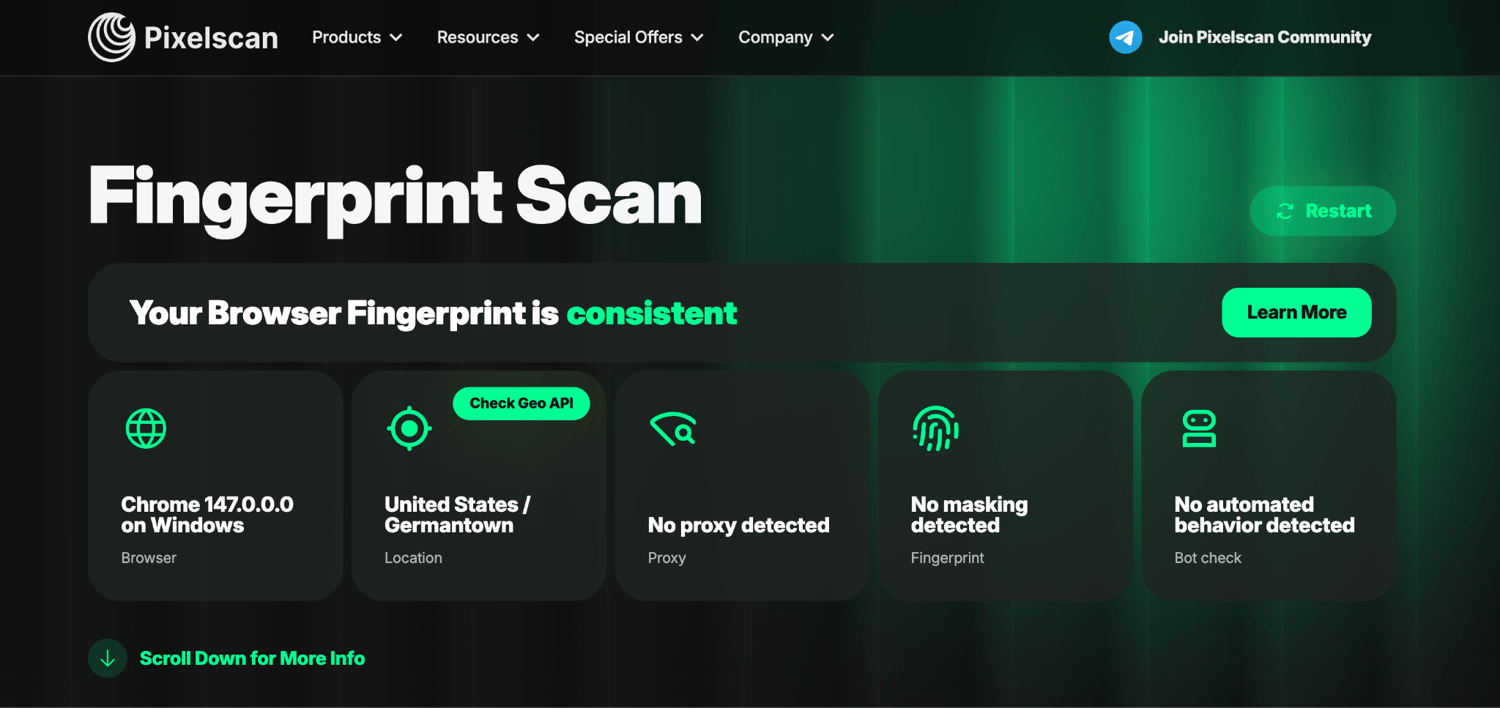
Our fingerprint test. Mixed, Iphey flags it by name. Tested on a clean US residential proxy (Iphey rated the IP low-risk and non-datacenter):
- Pixelscan: ✅ PASS. Fingerprint consistent, "No proxy detected", no masking, no bot behavior.
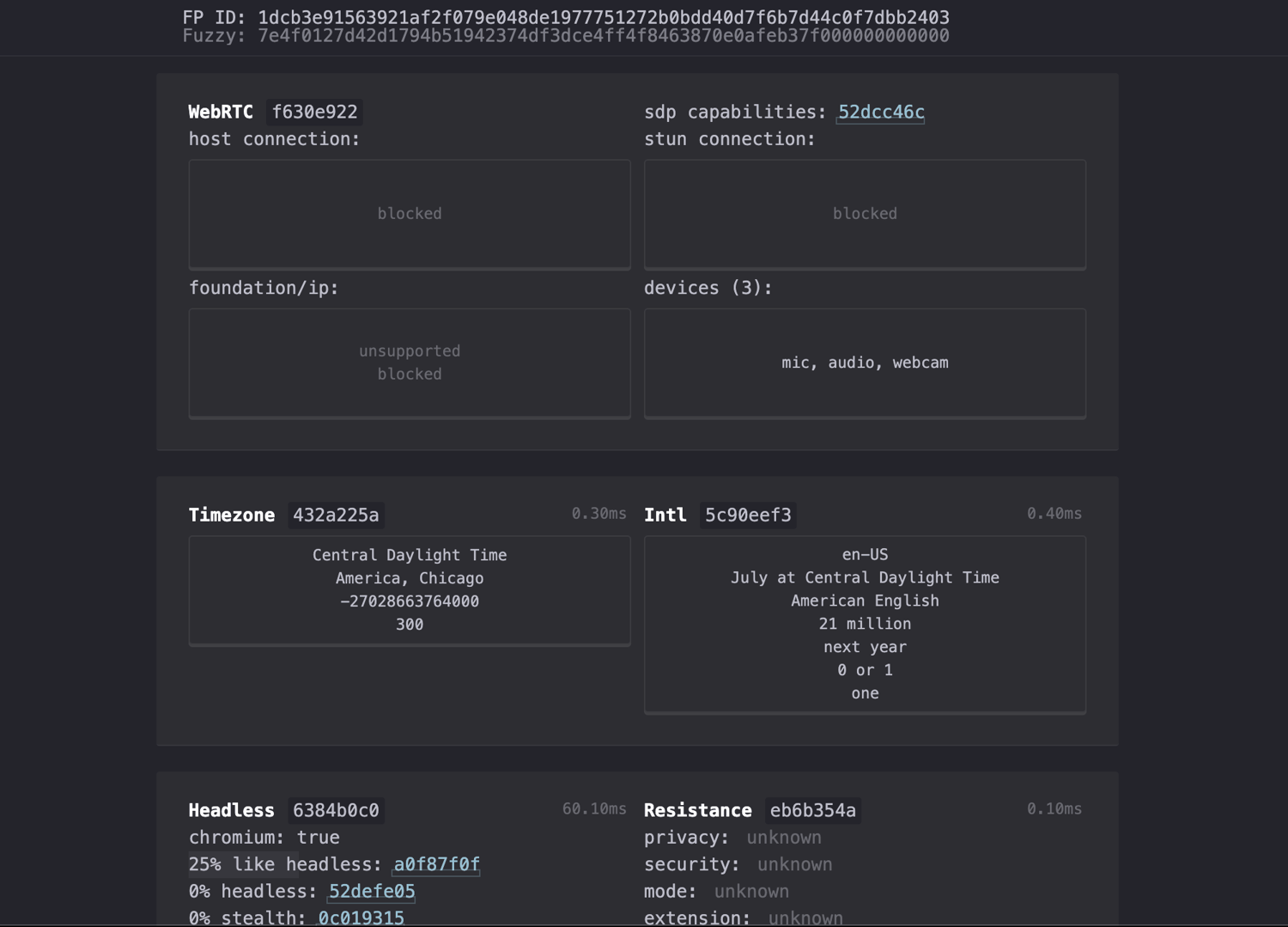
- CreepJS: ~clean. 0% headless / 0% stealth, WebRTC blocked (no leak), timezone and locale consistent, not flagged as automation. Its GPU did read at only moderate confidence, and every clean-passing peer scored high.
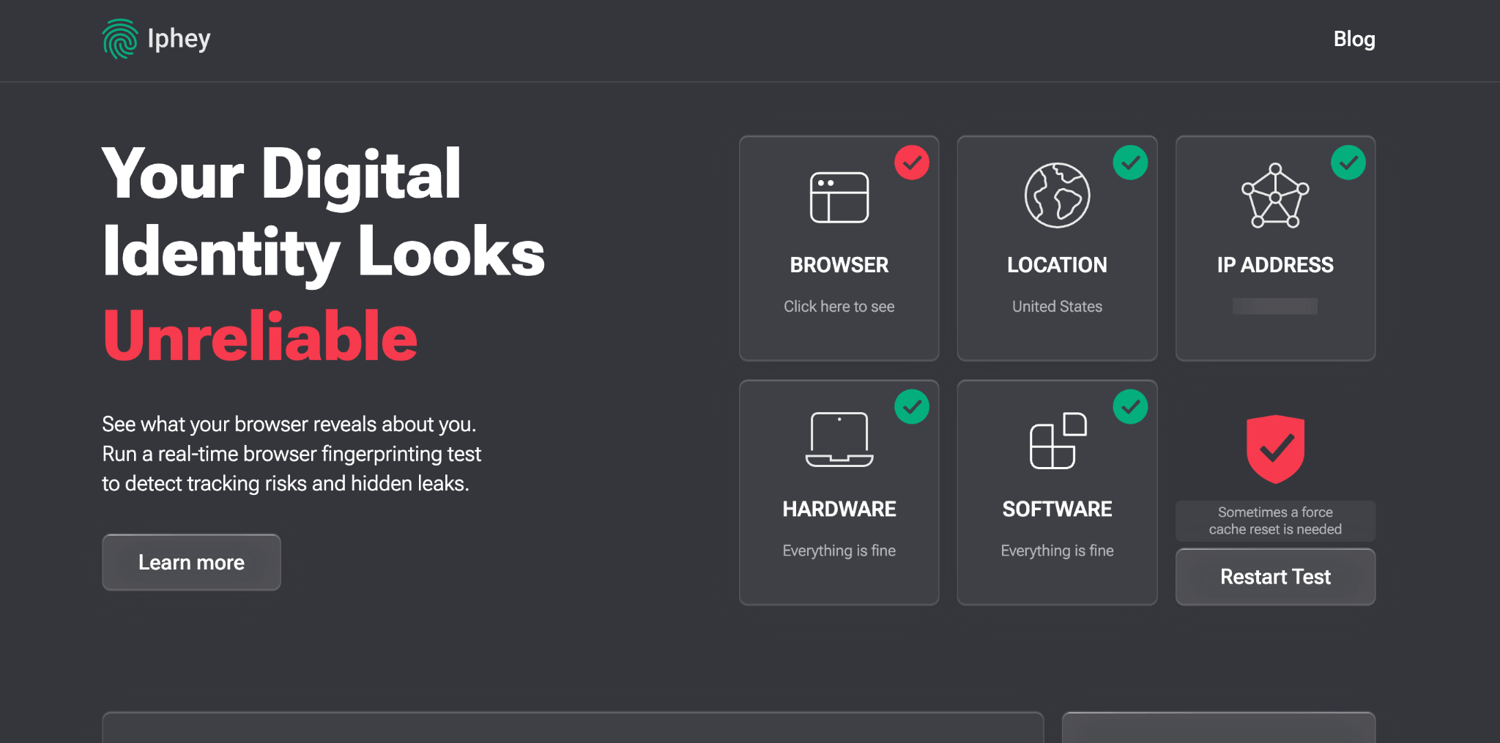
- Iphey: ❌ FAIL, "Unreliable". Location, IP, hardware, and software all pass. But the Browser check is flagged. Clicking in shows why. Iphey's SIGNALS row reads "Detected anti-detect browser environment (ads)". It fingerprints AdsPower's SunBrowser by name.
- Bottom line: the proxy and hardware are clean. AdsPower's own environment leaks an identifiable marker. That is a step below GoLogin, which passed Iphey clean. It fits its "number 3 for value" position, not "number 1 for stealth".
4. GeeLark
Best for: mobile and Android multi-accounting on real cloud phones, not emulated profiles.
- What it actually is: genuine cloud Android phones (ARM hardware) that spoof Android ID, IMEI, device model, MAC, GPS, and sensor data. GeeLark states outright that it is not an emulator. It also ships a separate desktop antidetect browser and a Synchronizer that mirrors actions across many devices.
- Platforms: a desktop controller for Windows 10+, macOS 12+ (Intel and Apple Silicon), and Linux (Ubuntu 22.04+). Cloud phones run Android 10 to 16 (Android 16 was added April 2026). There are no iOS phones yet.
- Automation: API, ADB shell access, and RPA templates for TikTok, Instagram, YouTube, and more. These are available even on the free tier.
- Fingerprint and stability: the device itself is real, and we confirmed it. That is the whole appeal. But the browser layer is weaker. It ships an outdated Chrome, an x86_64 host that leaks through the Android guest, and finicky proxy routing. Independent testing (Proxyway, Feb 2026) rated Android 13 and 10 profiles best (BrowserScan 87 to 100%, Whoer 90 to 100%). Android 11 and 12 are weaker. So choose your Android version deliberately.
- Pricing: Free gives 2 profiles, 30 cloud-phone minutes a month, and 1 seat. The paid subscription starts from about $5/mo, but the cloud phones run on prepaid credit on top of that. You top up a balance, and a running phone draws it down at $0.007 per minute. GeeLark caps each device at $1.20 a day, or about 172 minutes. After that the device runs free for the rest of the day. For steady use you can rent a device for a flat $29.90/mo instead of paying by the minute.
- Verdict: it is the clear pick for real mobile device identity and app-based multi-accounting. Just budget for the per-minute cloud-phone costs, and do not expect desktop-grade browser stealth.
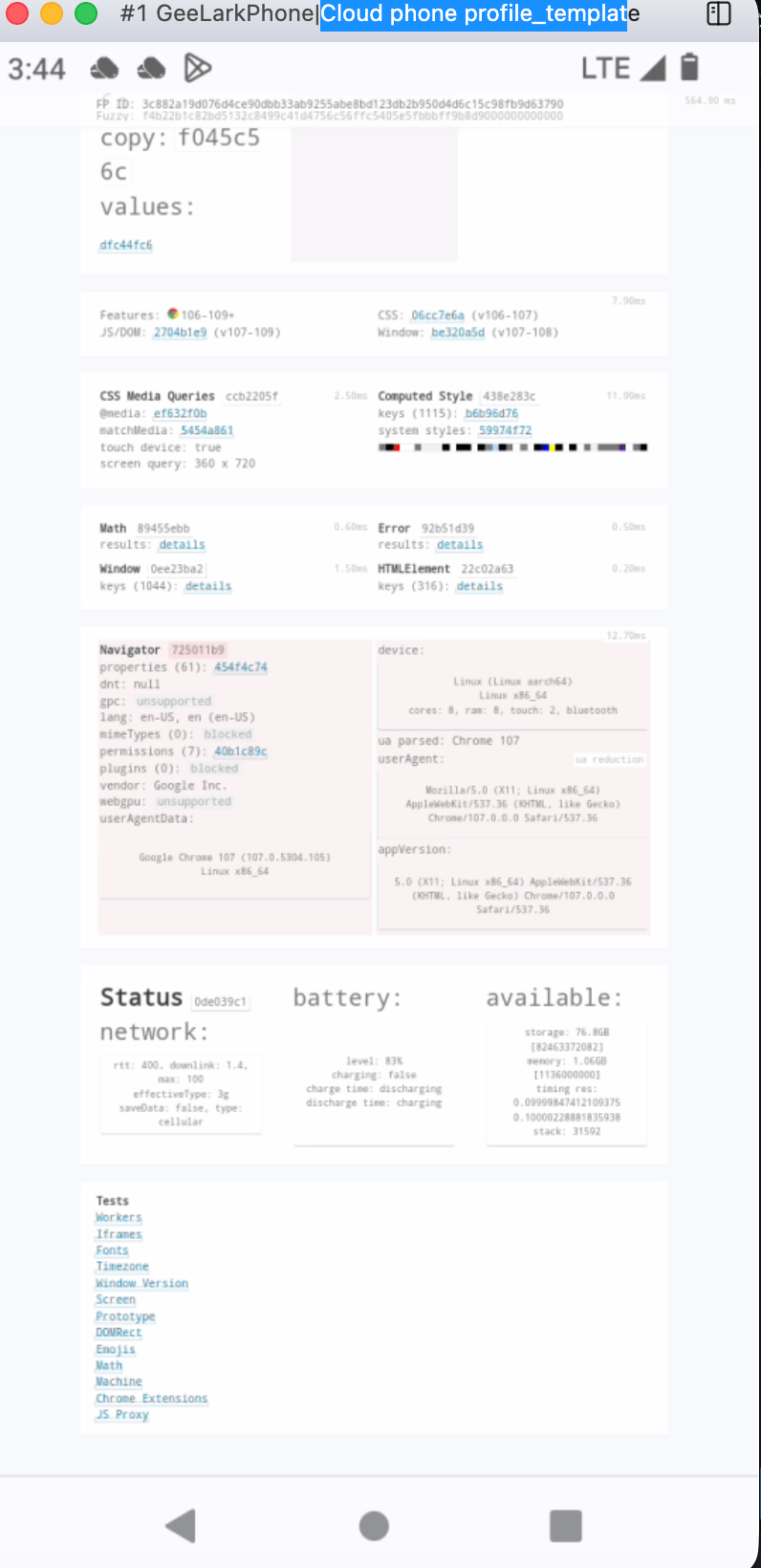
Our fingerprint test. A real device, but a flagged browser. We launched an Android 12 cloud phone (a real vivo V1986A) on a US residential proxy:
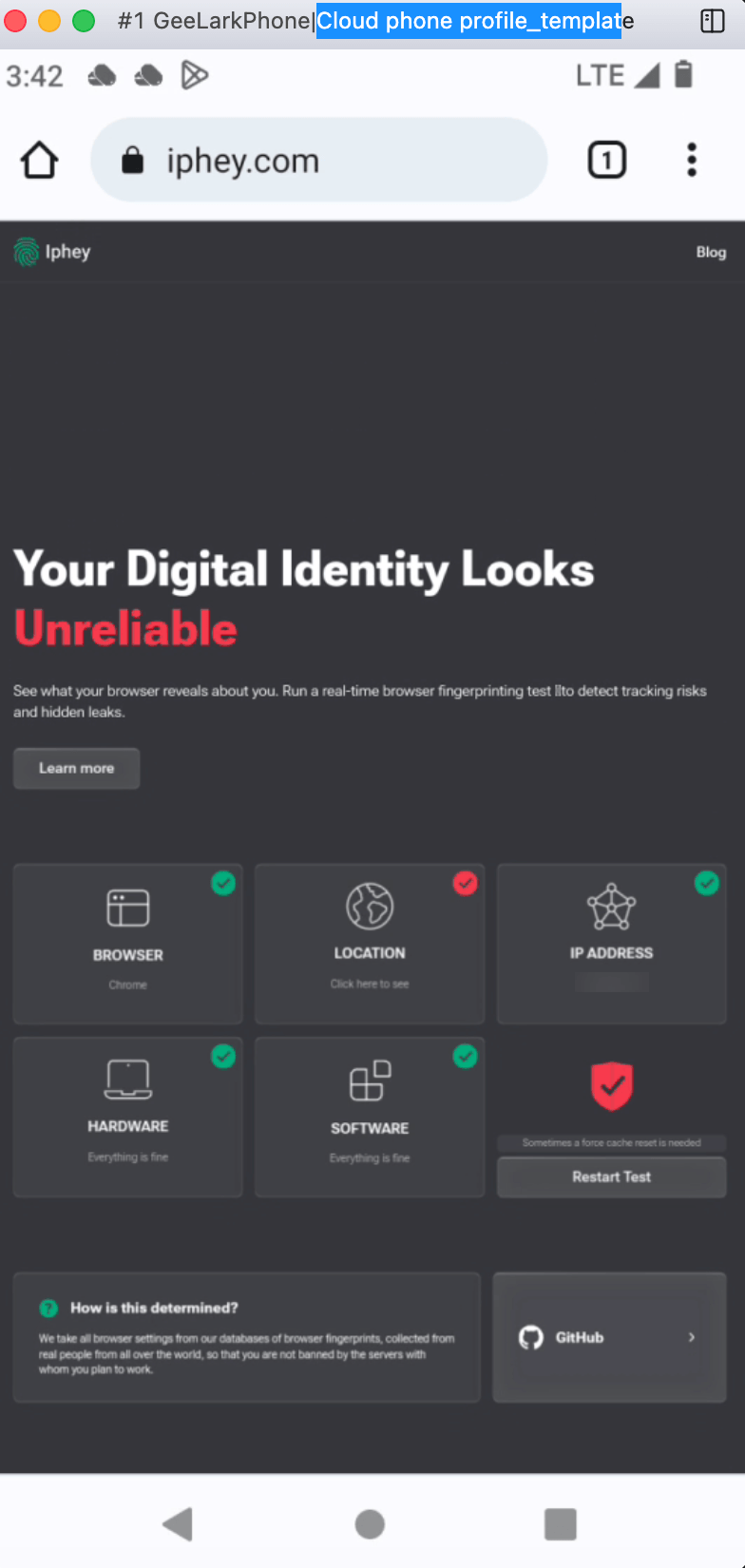
- The real-device claim checks out ✅. CreepJS read a genuine mobile fingerprint: an ARM Mali-G77 MC9 GPU (high confidence), touch enabled, a 360×720 mobile screen, and cellular/LTE. Iphey rated Browser, Hardware, and Software all green. This is a real phone, not emulation.
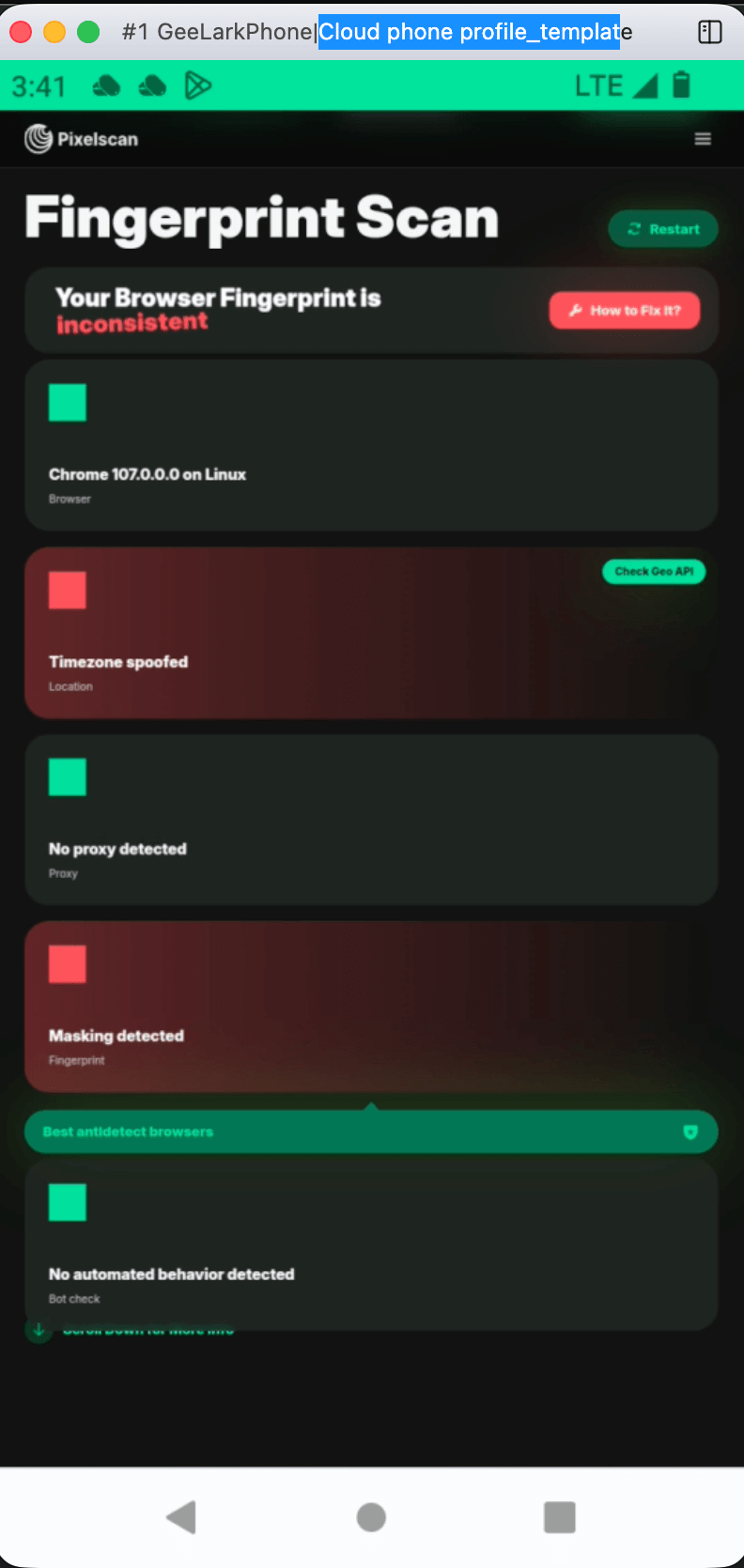
- But both checkers flagged it overall, on three issues. First, a geo mismatch. The phone's Alaska timezone did not match an Asian exit IP, because the proxy did not route the cloud phone (so Pixelscan showed "Timezone spoofed" and Iphey showed "Location" red). Second, an outdated Chrome 107 (years behind the current stable). Third, the cloud virtualization leaked. The page's main thread reported a desktop Linux x86_64 UA while the worker reported the ARM Android device (so Pixelscan showed "Masking detected").
- Bottom line: it is the best in our test for a genuine mobile device identity, but its browser fingerprint is dated and it leaks the host underneath. It suits real-device app workflows, not browser-level stealth.
5. Incogniton
Best for: budget solo operators and small teams who want a usable free tier.
- Platforms: Windows and macOS (Intel and Apple Silicon). Linux is unverified and unofficial. There is no mobile app.
- Automation: Selenium, Puppeteer, and Playwright, plus a local REST API (Python and TS SDKs). But it is gated to the Entrepreneur tier ($20.99/mo), not the free tier or Starter Plus.
- Fingerprint and stability: it is the weakest by default. It ships broken. And even after heavy manual tuning it cannot fully pass, because Iphey keeps flagging the browser.
- Pricing: Free gives 10 profiles for the first 2 months, then 3 profiles permanently. The cheapest paid plan is Starter Plus at $13.99/mo (billed 6-monthly, $19.99 regular), which gives 10 profiles and no automation.
- Verdict: it is a usable free tier for low-volume, low-stakes multi-accounting. But the dated interface, the extra-cost automation, and the heavy tuning needed to pass checkers make it a budget pick, not a stealth one.
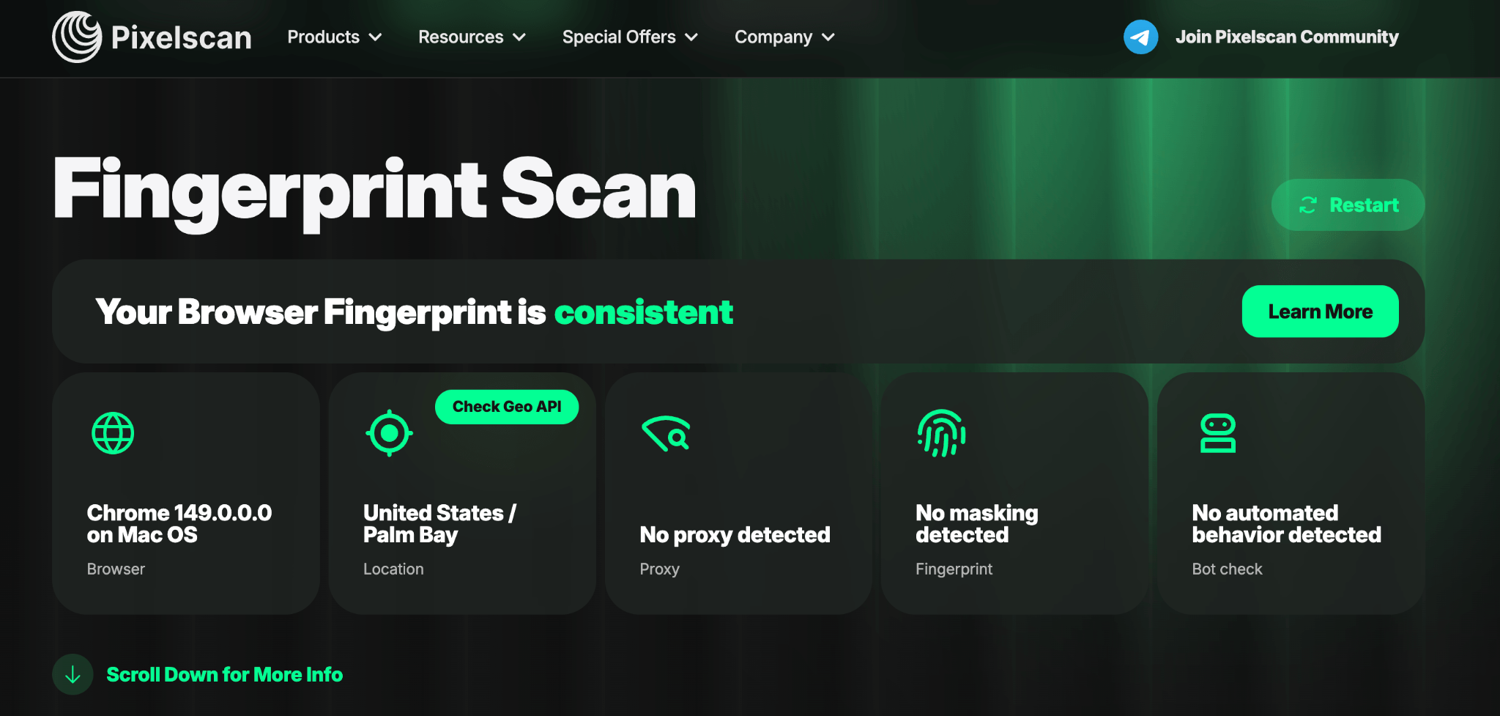
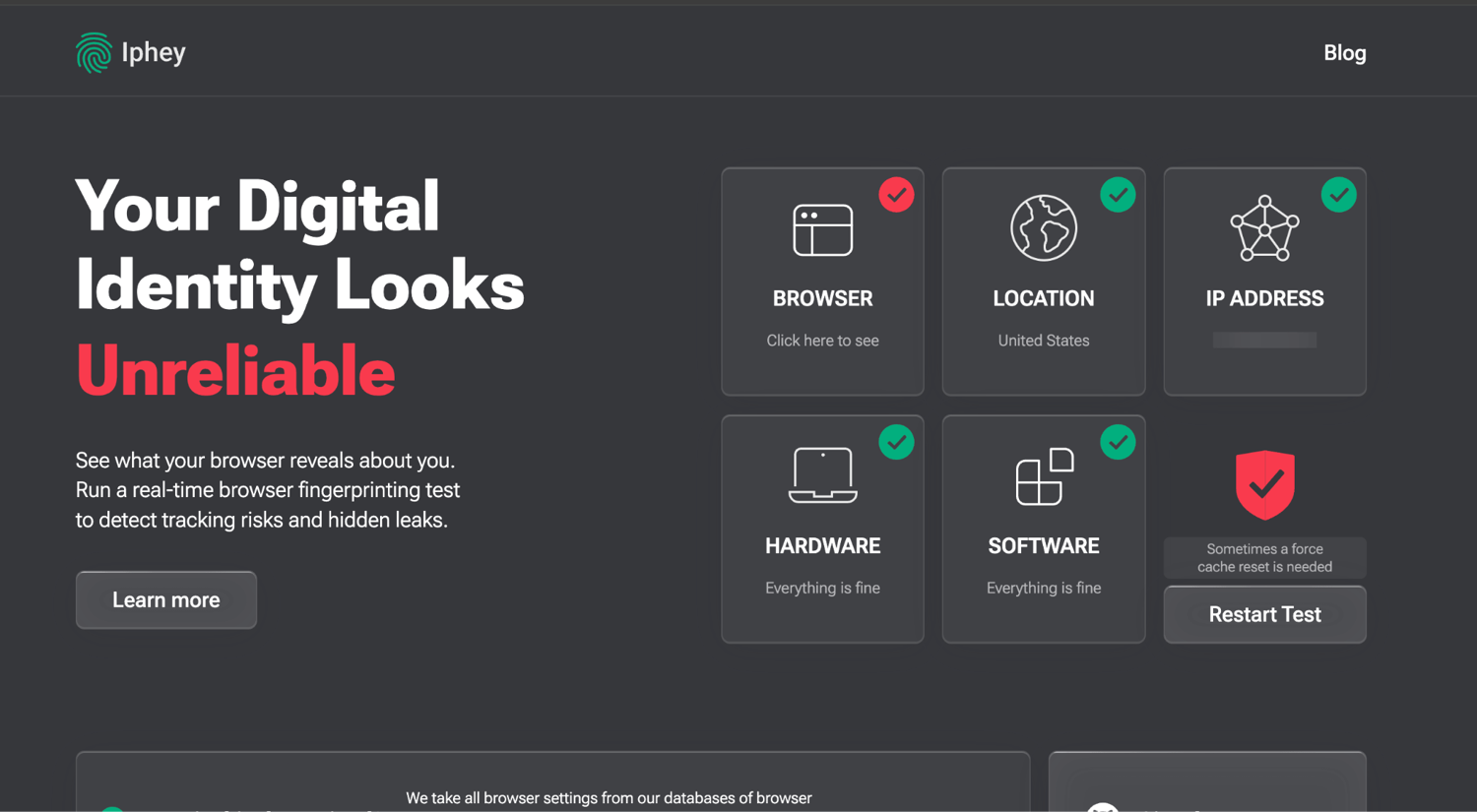
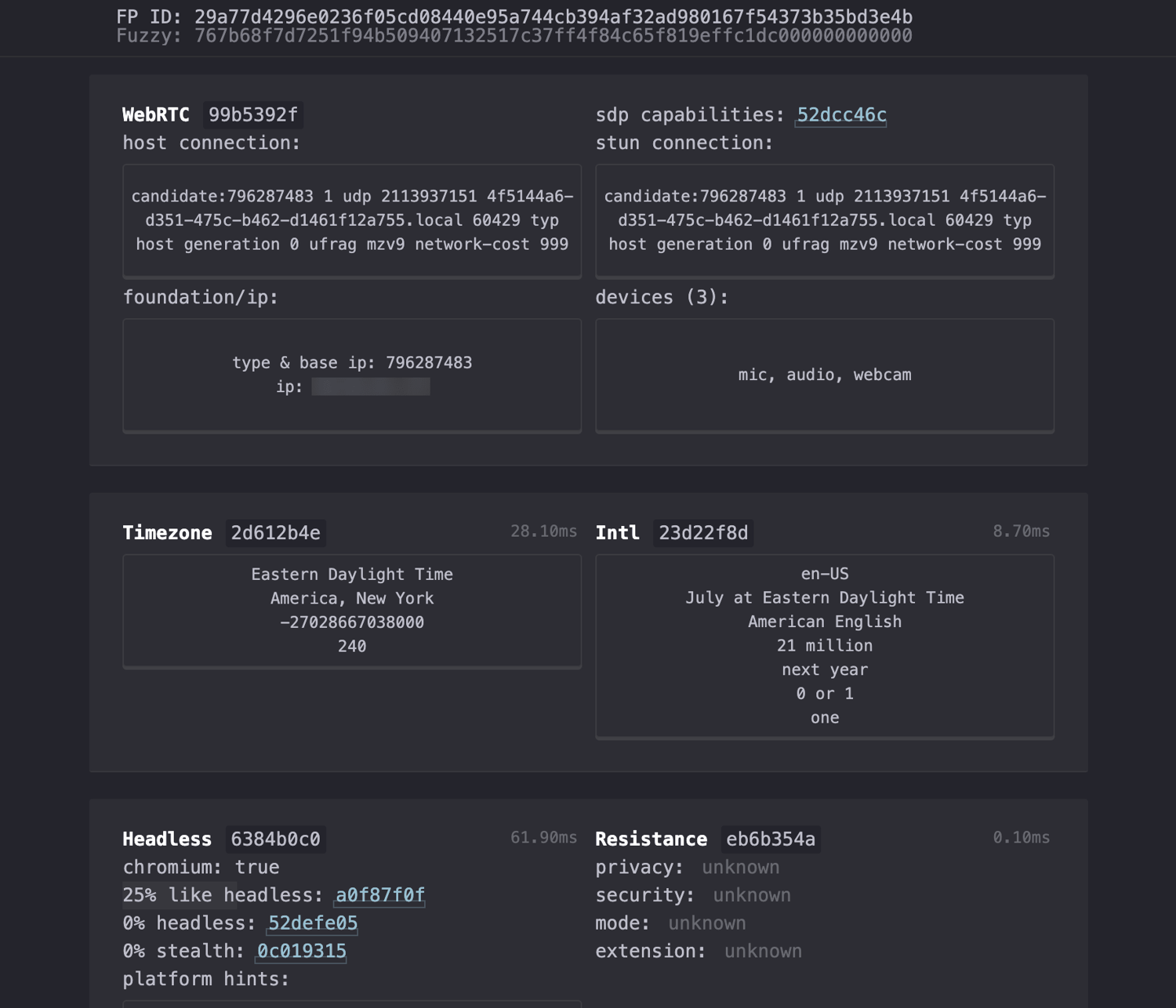
Our fingerprint test. Fails on defaults. Recovers on Pixelscan after heavy tuning, but Iphey still flags it.
- Default profile: ❌❌. Pixelscan flagged "Masking detected" and "Timezone spoofed". Iphey flagged Browser and Location.
- Root causes (via CreepJS): a Safari WebGL string (WebKit WebGL) on a Chrome UA, a 2011 Intel HD 3000 GPU spoofed onto an Apple-silicon Mac (which contradicts the real Apple GPU its own worker thread reported), a dual-core CPU, and a non-frozen macOS user-agent (12_2_1, where real Chrome uses 10_15_7).
- After five manual fixes (WebGL to real GPU, user-agent to 10_15_7, cores to 8, resolution to Mac-realistic, sticky proxy): Pixelscan ✅ passes (masking and timezone flags gone) and Iphey's Location clears. But Iphey's Browser check still fails. Incogniton keeps sending a non-standard 12_2_1 macOS token (its real OS underneath is macOS 26.5.1) that real Chrome never uses. And even after the "cores to 8" fix, the worker and main threads still disagree: 8 cores / 16 GB versus 16 cores / 8 GB. Those are not user-fixable.
- CreepJS: clean on automation (0% headless / 0% stealth) once tuned.
6. Kameleo
Best for: developers who need Android and iOS profile emulation plus local-API automation.
- Platforms: Windows, macOS, and Linux (via Docker). It emulates Android (Chrome) and iOS (Safari) profiles from the desktop through its own "Chroma" engine. It masks canvas, WebGL, AudioContext, viewport, device pixel ratio, and touch events.
- Automation: a Local API (localhost:5050, OpenAPI/Swagger) with official Python, JS/TS, and C# SDKs, plus Selenium, Playwright, and Puppeteer guides.
- Fingerprint and stability: it is one of the cleanest in our test. It pulls a coherent real device fingerprint from its database, so everything stays internally consistent. It passed all three checkers on a default profile. And it correctly freezes the macOS user-agent to 10_15_7, which is the exact detail Incogniton mishandles.
- Pricing: The free tier gives 2 concurrent browsers, 100 cloud profiles, 300 minutes a month, and 1 mobile profile. The cheapest paid plan is Startup at €59/mo monthly (about $64, or €45/mo billed annually). Pricing is EUR-only.
- Verdict: it is a developer pick for mobile emulation and API depth, with a strong fingerprint. The trade-offs are the higher entry price and EUR-only billing.
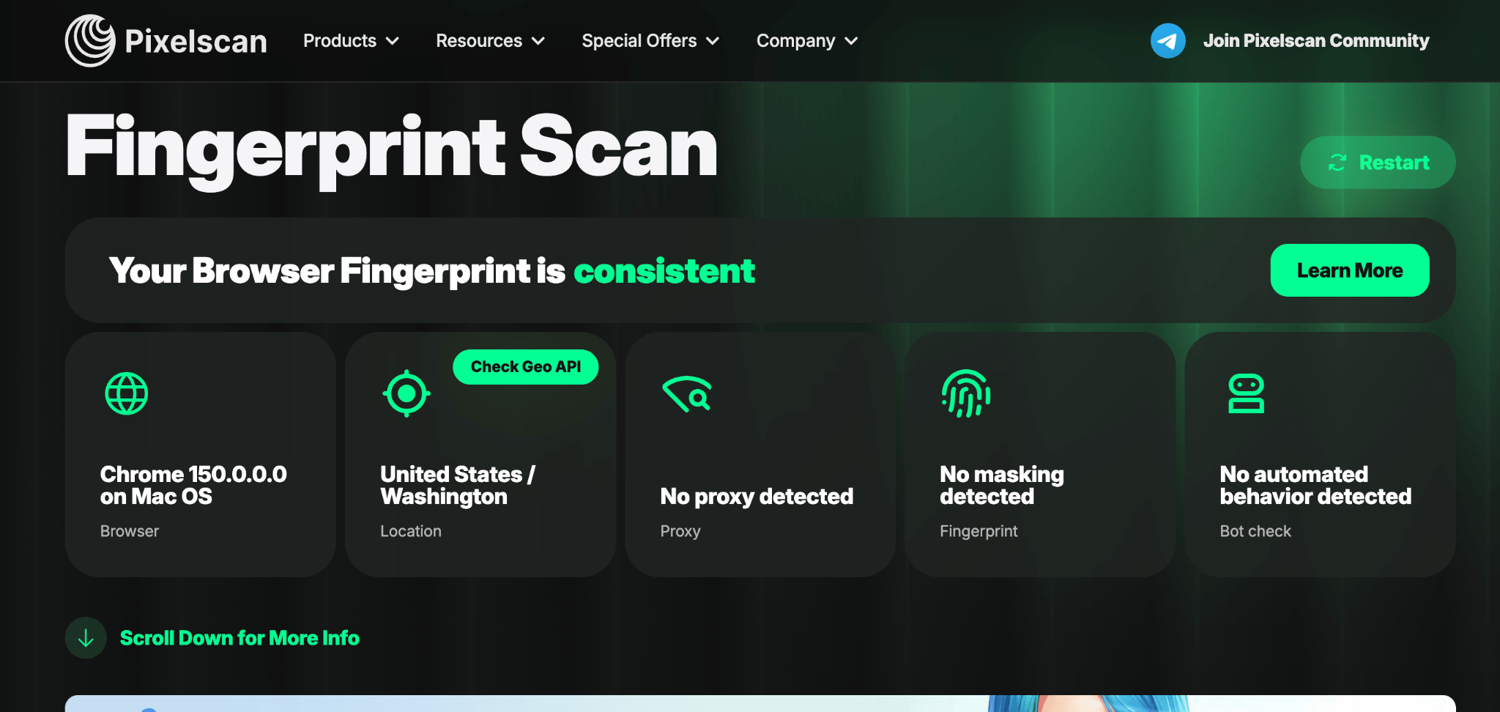
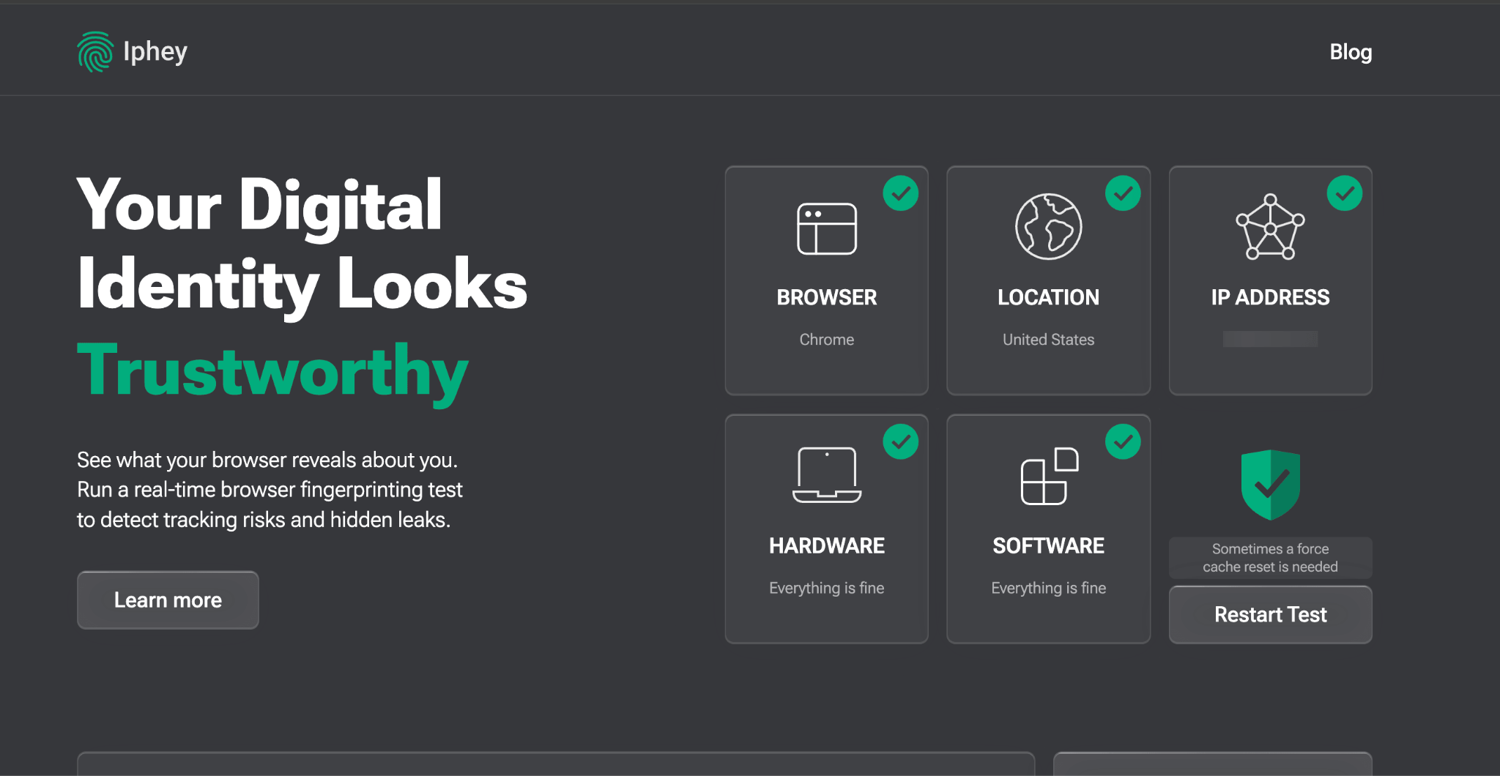
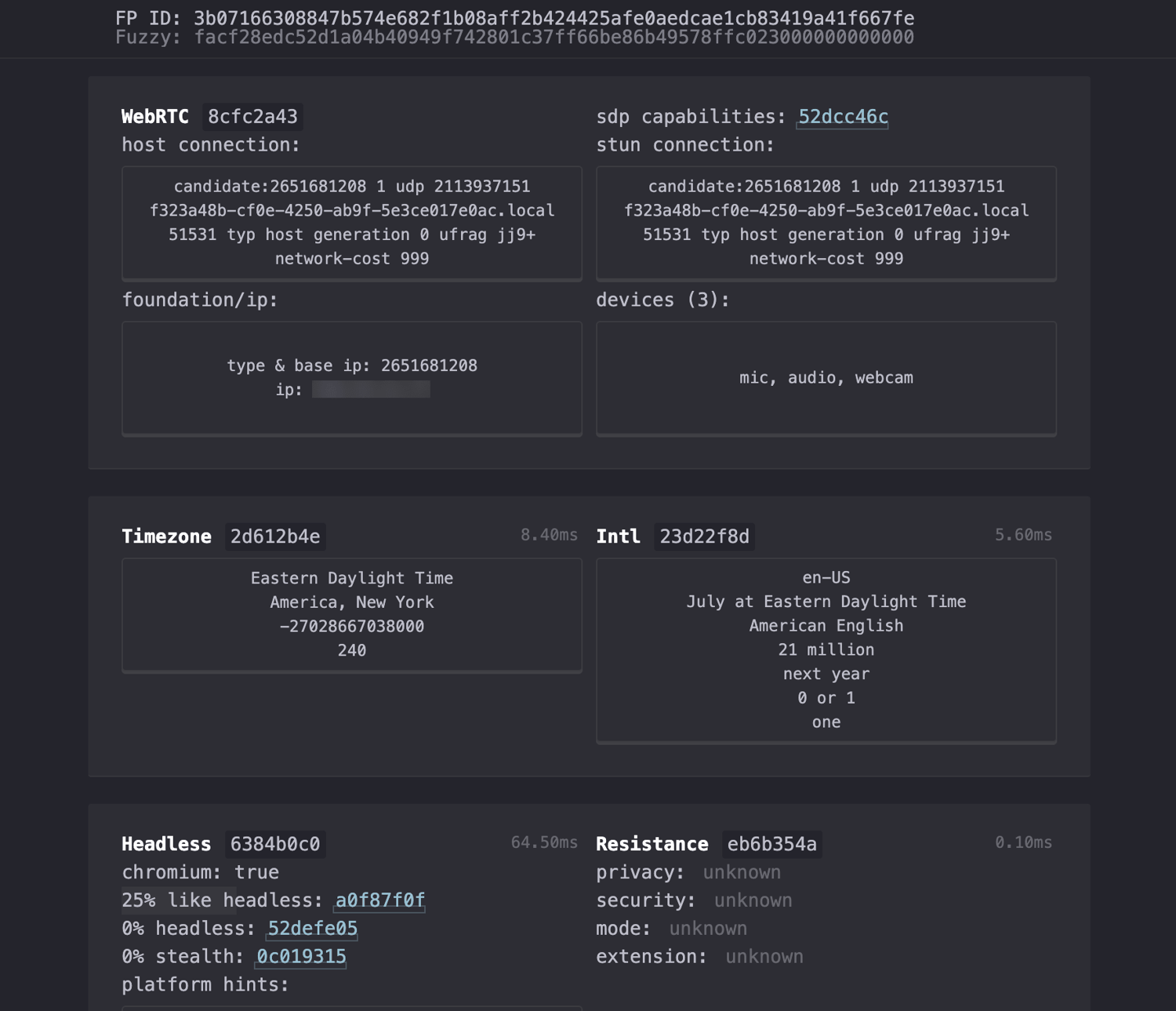
Our fingerprint test. Passes all three cleanly. On a default desktop profile (Kameleo loaded a real Mac fingerprint) with a clean US residential proxy:
- Pixelscan: ✅ PASS. Consistent, "No proxy detected", no masking, no bot behavior.
- Iphey: ✅ PASS. "Trustworthy", all five green.
- CreepJS: ✅ clean. 0% headless / 0% stealth, no WebRTC leak, and a coherent real-Mac fingerprint. It read an Apple M3 Max GPU at high confidence (consistent across worker and main threads), 16 CPU cores, a real macOS "Samantha" voice, and, most important, the macOS UA correctly frozen to 10_15_7. This is the correct approach.
7. Octo Browser
Best for: scaled affiliate, eCommerce, and scraping teams that need API automation across many profiles.
- Platforms: Windows, macOS (Intel and Apple Silicon), and Linux. A native iOS app launched May 2026 (free with 100 iOS profiles during open testing, as of July 2026). There is no native Android app, only desktop Android fingerprint emulation.
- Automation: API from the Base plan up. Selenium, Puppeteer, Playwright, and raw CDP are documented, with Go, Ruby, Python, and PHP samples.
- Fingerprint and stability: the reputation is well earned. It passed all three checkers cleanly on a default profile, with one of the most natural fingerprints we saw (real Apple GPU, correctly frozen UA, genuine macOS version underneath).
- Pricing: No free plan (only the occasional promo code). The cheapest plan is Lite at €10/mo (about $11), which gives 3 profiles and no API. API access needs Base (€79/mo). Pricing is EUR-only.
- Verdict: It offers top-tier stealth for large-scale operators. The trade-offs are no free tier (paid-only from €10/mo) and API-gating behind higher plans.
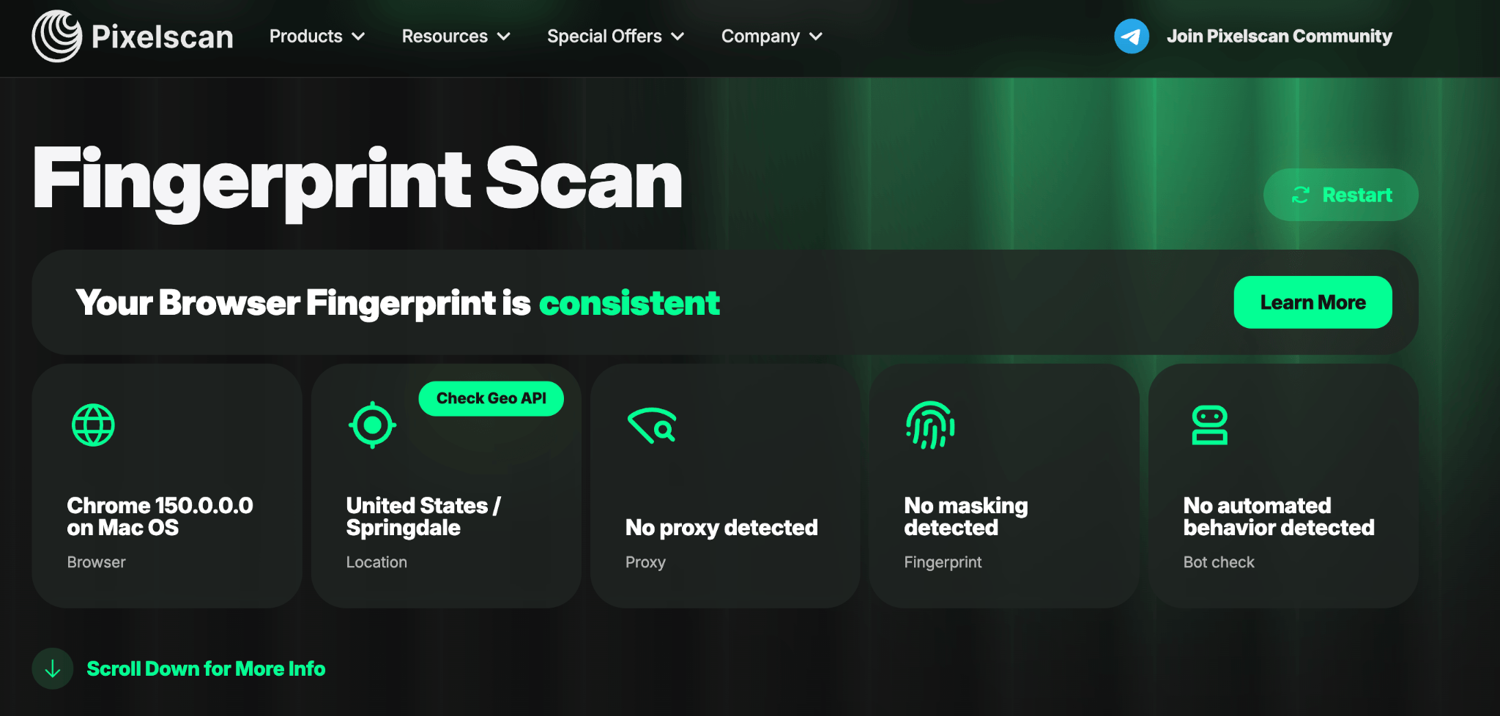
Our fingerprint test. Passes all three cleanly. On a default profile with a clean US residential proxy (sticky session):
- Pixelscan: ✅ PASS. Consistent, no proxy, masking, or bot flags.
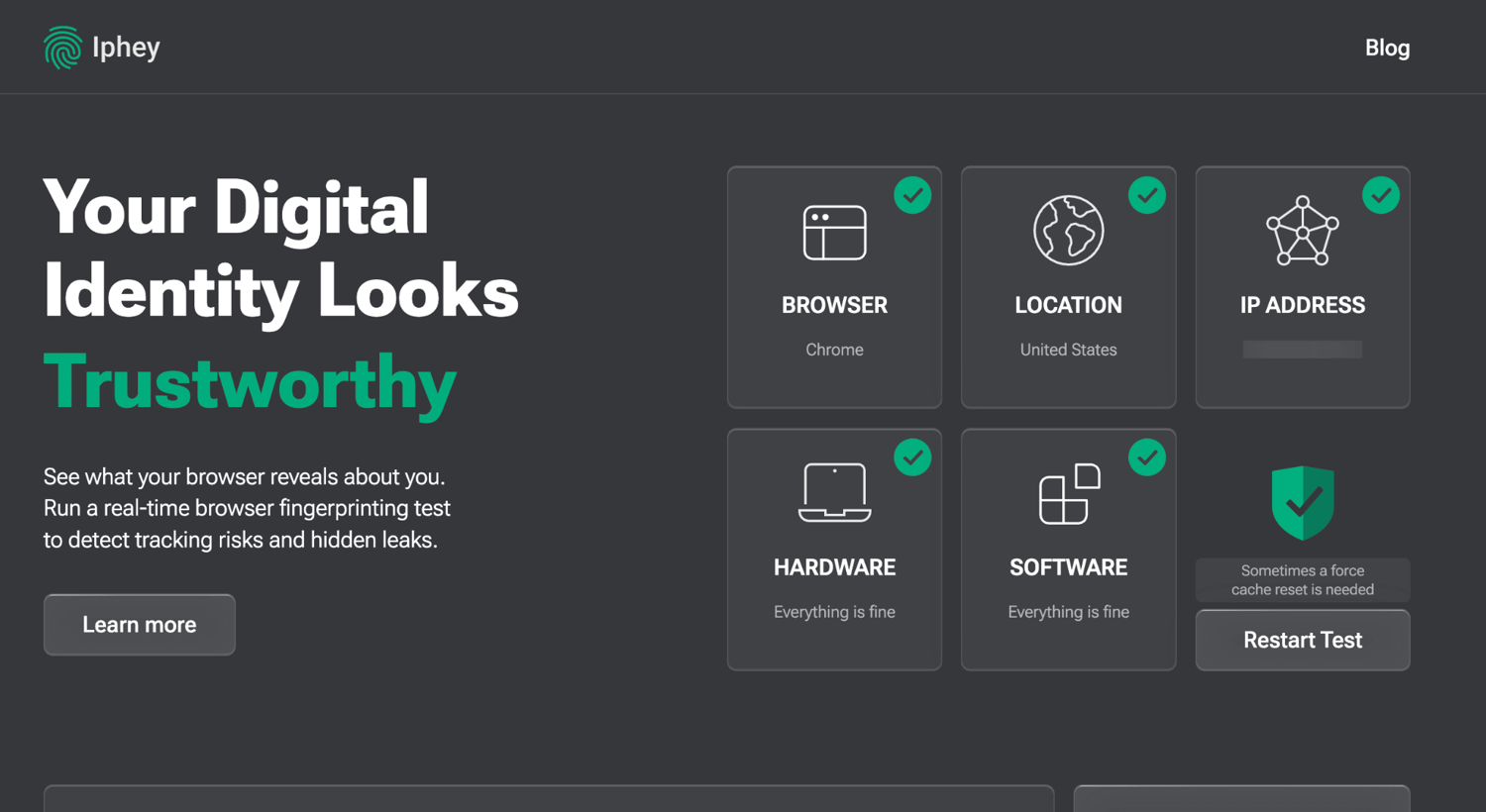
- Iphey: ✅ PASS. "Trustworthy", all five green, including the Browser card (no localhost or process leak, unlike Dolphin at #9).
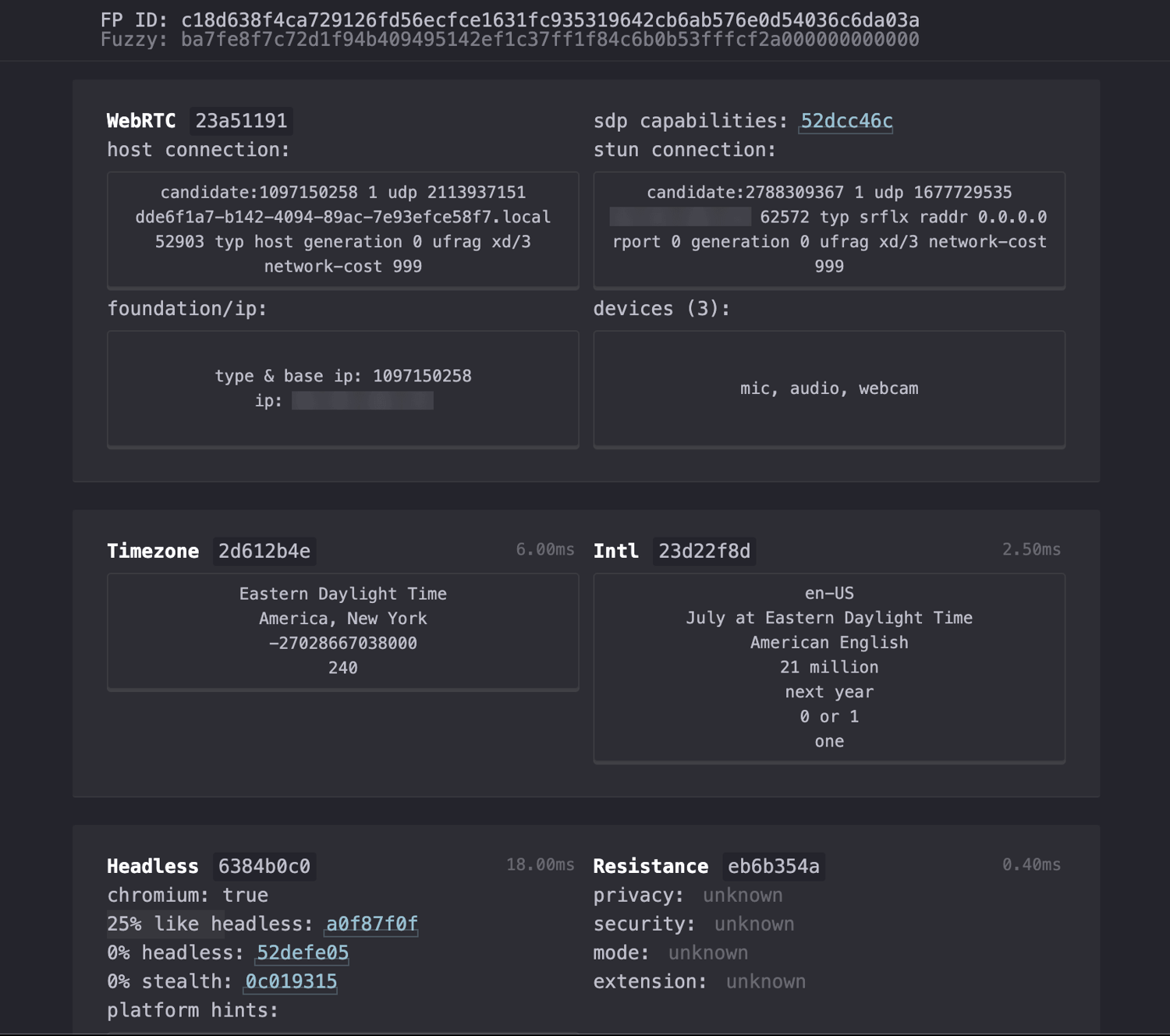
- CreepJS: ✅ clean. 0% headless / 0% stealth, no WebRTC leak, and a textbook natural fingerprint. It read a real Apple M4 GPU at high confidence (consistent across threads), a UA correctly frozen to 10_15_7, and userAgentData reporting the genuine macOS 26.3.1 arm64. This is the correct approach.
- Bottom line: it is among the cleanest in the test. It ranks with Multilogin and Kameleo at the top on raw fingerprint quality.
8. Nstbrowser
Best for: developer and scraping teams that want a cloud-native, API-first browser with built-in CAPTCHA solving.
- Platforms: Windows 10+, macOS (Intel and Apple Silicon), cloud (one-click deploy), and Docker for headless or server use. There is no native Linux desktop app and no mobile app (only mobile fingerprint emulation).
- Automation: Puppeteer, Playwright, and Selenium over CDP, a REST and local API, AI CAPTCHA solving (Cloudflare and others), automatic proxy rotation, and separate RPA and AI-Agent products.
- Fingerprint and stability: it has the weakest desktop stealth in our test. Its masking is detectable. Even after tuning (real canvas, audio, and GPU, plus a sticky proxy), Pixelscan still flagged "Masking detected" and Iphey still failed the browser check. It is fine as a scraping or automation engine. It is not built for stealthy multi-accounting.
- Pricing: Free gives 500 profiles, 30 launches a day, and 3 seats. The cheapest paid plan is Starter at $29.90/mo (20,000 profiles, 3,000 launches a day).
- Verdict: it works best as a scraping and automation platform rather than a cheap solo multi-accounting tool.
Our fingerprint test. Fails on defaults, and still fails after tuning.
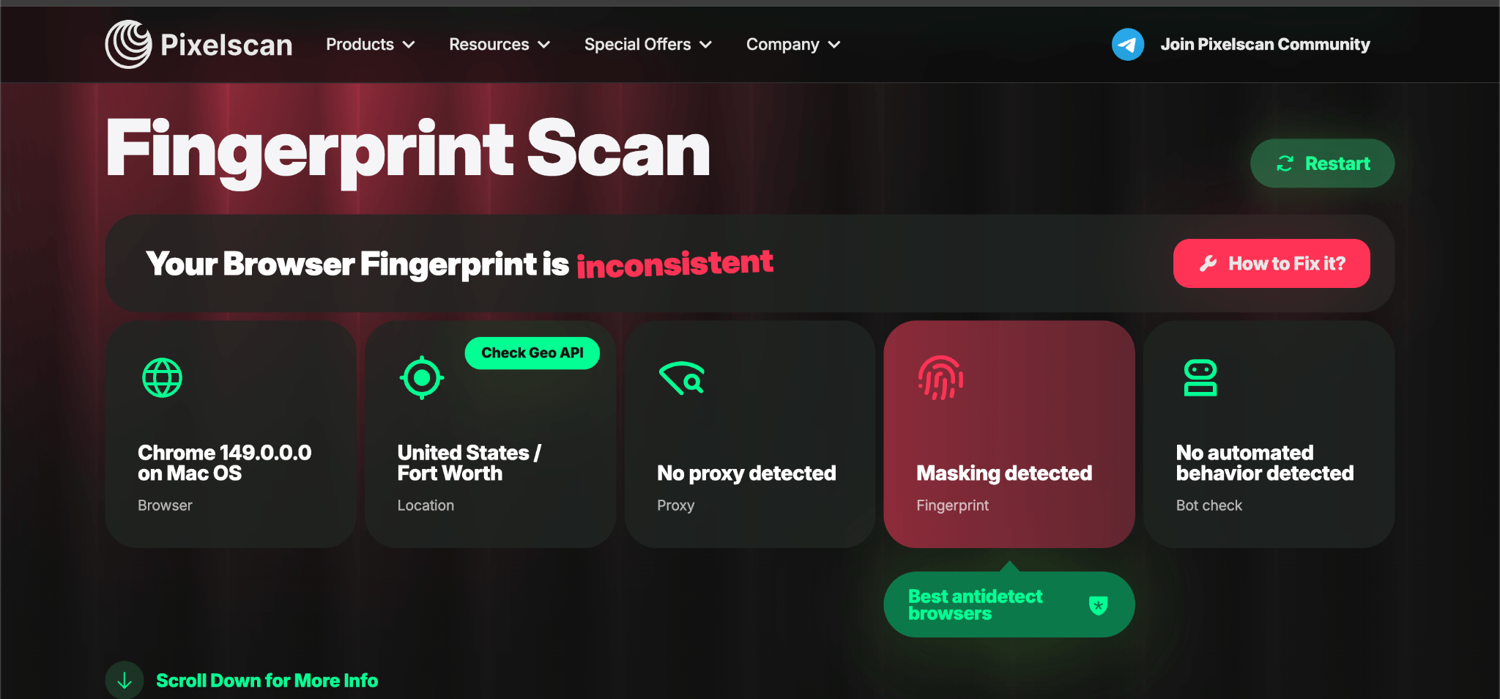
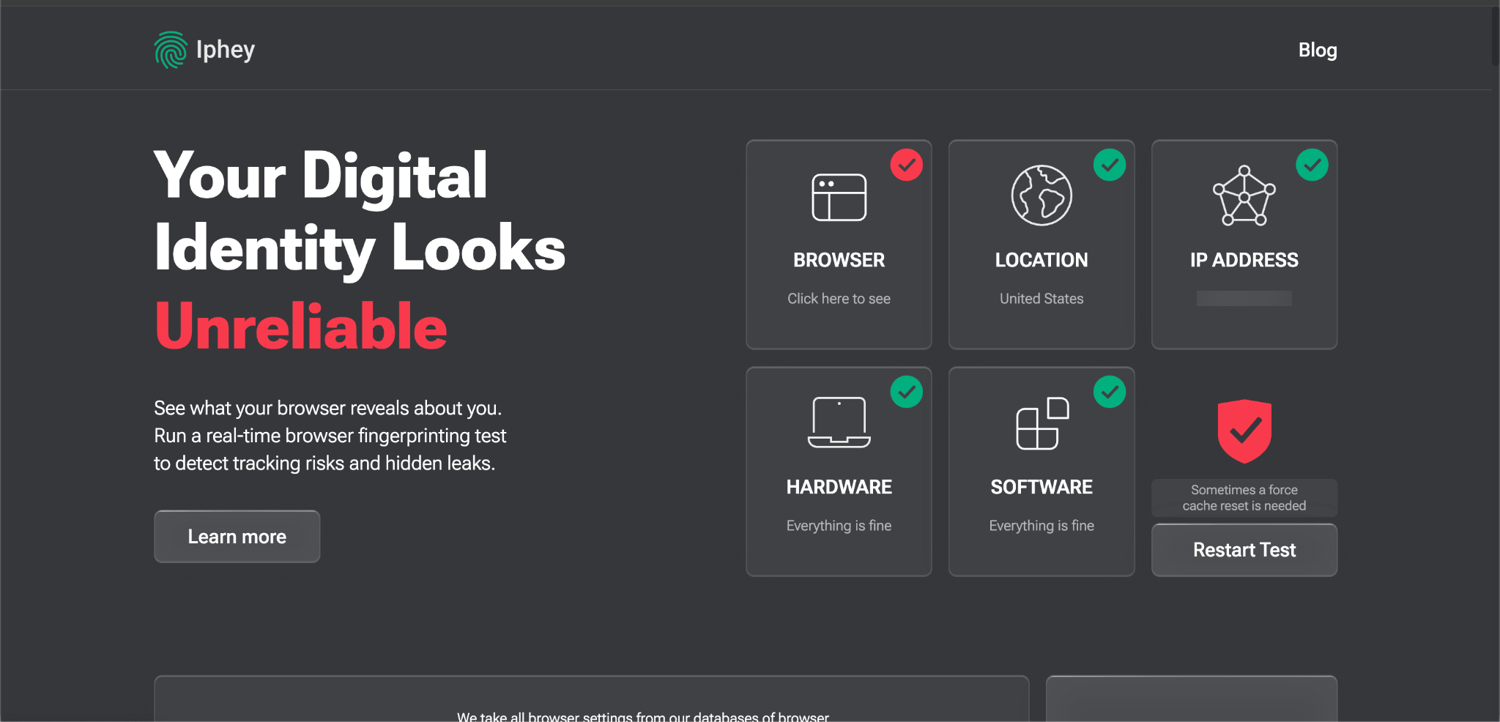
- Default profile: ❌. Pixelscan flagged "Masking detected" and "Timezone spoofed". Iphey flagged Browser and Location.
- After tuning (WebGL Metadata to Real, Canvas and Audio to Real, sticky proxy): the sticky proxy cleared "Timezone spoofed" and Iphey's Location. But Pixelscan still reads "Masking detected" and Iphey still fails the Browser check. CreepJS confirmed the tuned fingerprint. It read a real Apple M3 GPU (high confidence), genuine audio and canvas, and a correctly frozen UA. It also turned up an impossible core count. The worker reports 16 CPU cores, but that Apple M3 is an 8-core chip. No real M3 reports 16 cores. So Pixelscan still catches Nstbrowser's remaining masking. That is most likely WebGL-image noise, font masking, and an injection signature. Clearing it would mean disabling nearly all masking, which defeats the point.
- Why Iphey flags the browser: its SIGNALS panel identifies the profile as an anti-detect browser environment (matched to a "more-login" signature). It is caught by name, like AdsPower. Iphey even named another antidetect app's process running on the machine, which the better-shielded tools did not leak.
- CreepJS: clean on automation (0% headless / 0% stealth).
- Bottom line: it is the only desktop tool that could not pass Pixelscan even when tuned. That fits its scraping-first, not stealth-first, design.
9. Dolphin Anty
Best for: media buyers and affiliates running team-based ad-account operations.
- Platforms: Windows, macOS, and Linux (.AppImage / .deb / .rpm). It is desktop-only. Mobile fingerprint emulation was still listed as "soon" as of July 2026. There is no native mobile app.
- Automation: a Local API (port 3001) and CDP, Selenium, Puppeteer, and Playwright, a Synchronizer, and a no-code scenario builder. Automation is restricted on the free plan.
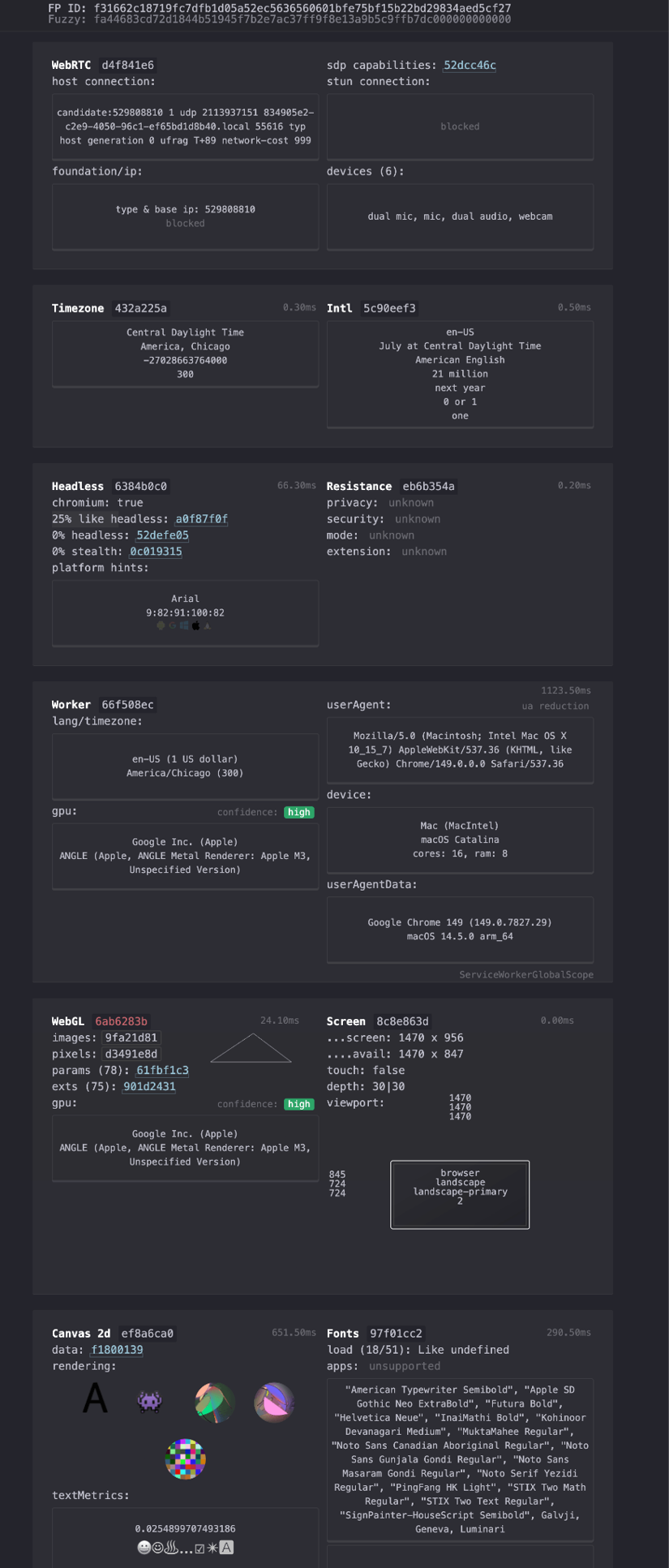
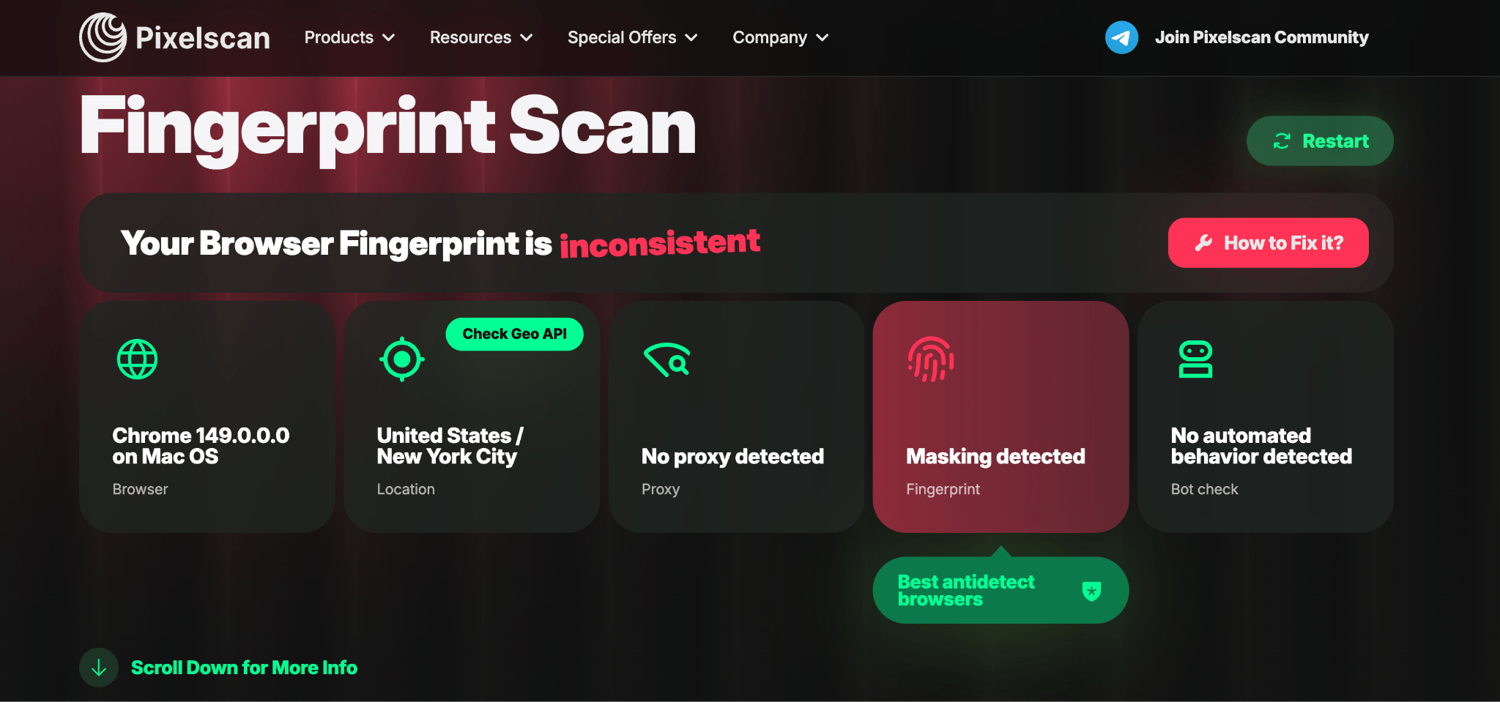
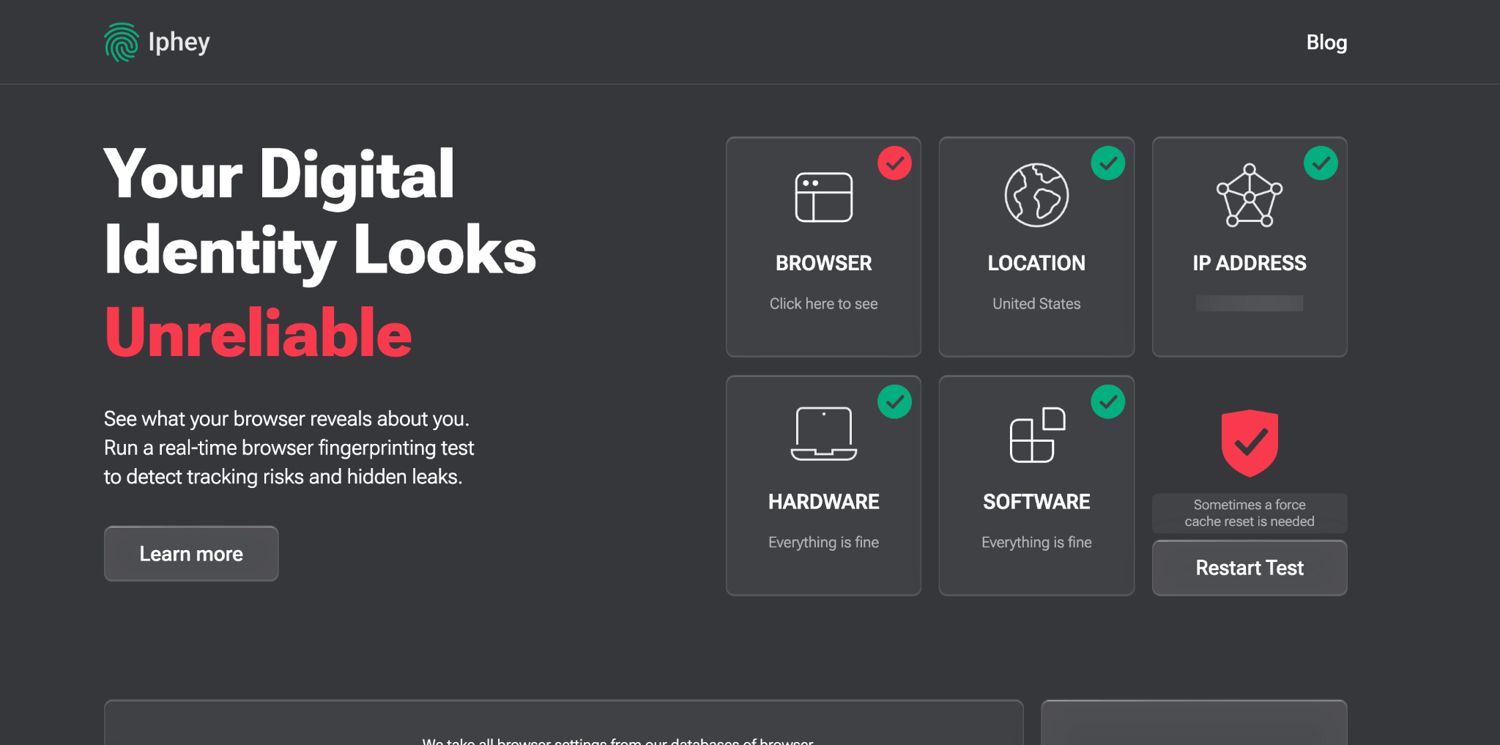
- Fingerprint and stability: in our test it failed both checkers. Pixelscan flagged "Masking detected". And Iphey flagged the browser, not on a fingerprint signature, but because Dolphin does not block localhost port-scanning, so the checker detected its local API server. It is built for media buying, and weaker on stealth than the top tier.
- Pricing: Free gives 5 profiles (cut from 10, with bulk and automation features stripped). The cheapest paid plan is Starter at $10/mo (60 profiles, 1 seat). The next tier, Base, jumps to $89/mo.
- Verdict: it still suits affiliate and media-buying teams. But the once-generous free tier has been cut back sharply, and its fingerprint stealth trails the top tier.
Our fingerprint test. Fails both checkers. On a clean US residential proxy (sticky session):
- Pixelscan: ❌ "Masking detected". Its fingerprint masking is caught. Location and timezone were clean, so the proxy side was fine.
- Iphey: ❌ Browser. The reason is the key finding. Its SIGNALS panel read "Detected the following processes on your device: Dolphin Anty…" That is the checker probing localhost and finding the local API server that antidetect apps run (Dolphin's is on port 3001). Dolphin does not block localhost scanning, so a site can tell it is running. The stronger tools block this, which is likely why we never caught their own servers when we tested them.
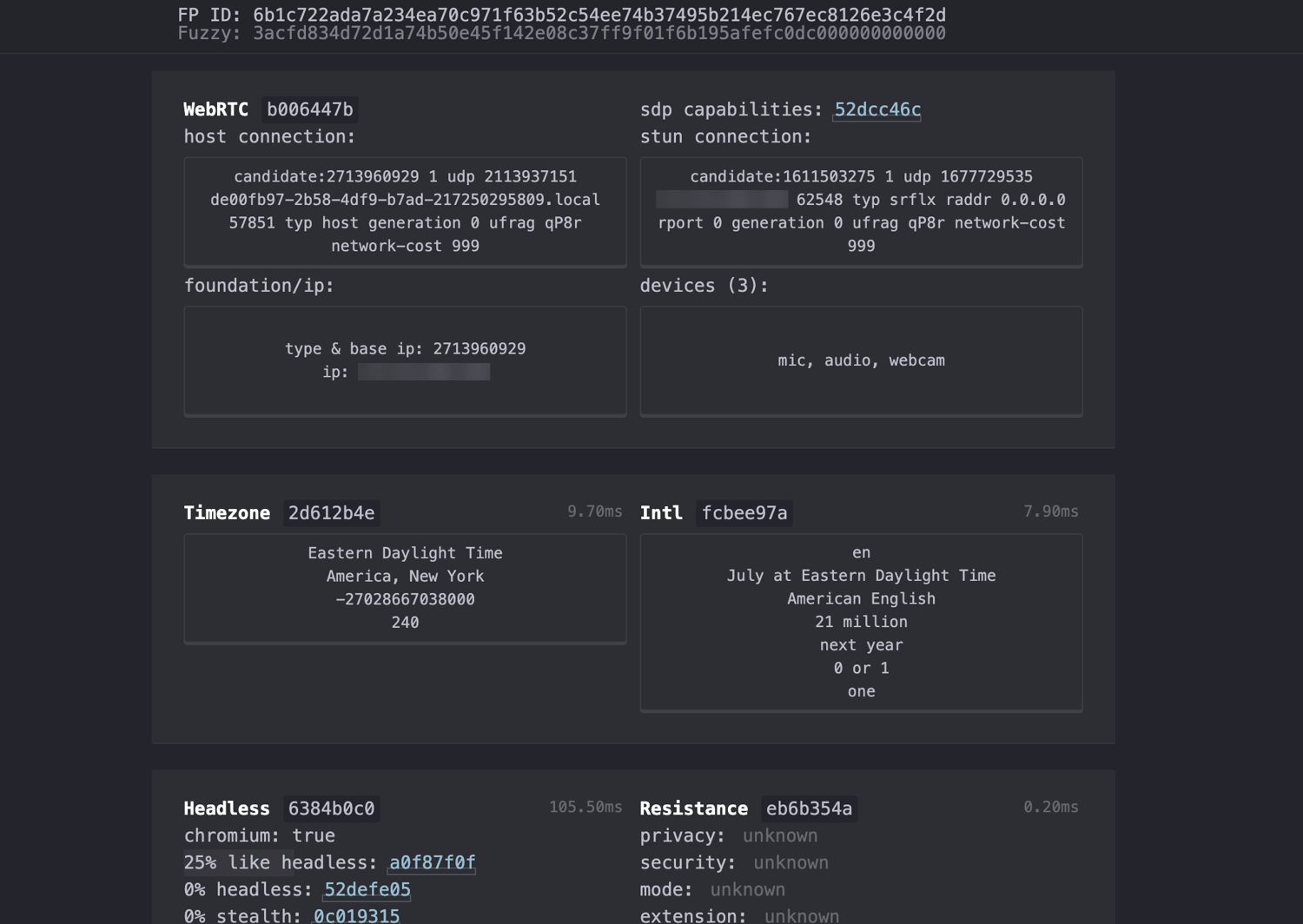
- CreepJS: clean on automation (0% headless / 0% stealth). But its fingerprint pairs an Intel Iris 645 GPU with an arm64 architecture, which is an impossible combo on a real Mac (a hidden inconsistency a stricter system could catch).
- Bottom line: it is a media-buying tool. But on raw stealth it ranks with the flagged tier, not the clean-passing top.
10. ixBrowser
Best for: the cheapest paid entry in the category and an unlimited free profile count.
- Platforms: Windows (10+, plus a legacy 7/8 build) and macOS (Intel and Apple Silicon). There is no Linux, mobile, or cloud version.
- Automation: a Local API v2 (official Python SDK). Selenium and Playwright work via the CDP debugging address (Puppeteer works in practice over CDP). It has batch operations and RPA. Proxies are bring-your-own, because ixBrowser does not sell its own.
- Fingerprint and stability: it is better than its budget price suggests. It passed all three checkers cleanly in our test. The one caveat is uniqueness. Independent reports note that ixBrowser profiles can look near-identical to each other, so at scale a site could correlate accounts even though each profile passes on its own.
- Pricing: Free gives unlimited profiles, 2 seats, 10 creations a day, and 100 launches a day. The cheapest paid plan is Professional at $3.99/mo (unlimited profiles, 20 seats, 100 creations and 1,000 launches a day).
- Verdict: ixBrowser is the budget and unlimited-free pick that outperforms its price on fingerprint quality. It is Windows-first, has no mobile, and is subject to the profile-uniqueness caveat at scale.
Our fingerprint test. Passes all three cleanly. On a clean US residential proxy (sticky session):
- Pixelscan: ✅ PASS. Consistent, no proxy, masking, or bot flags.
- Iphey: ✅ PASS. "Trustworthy", all five green, including the Browser card (no localhost or process leak, unlike Dolphin at #9).
- CreepJS: ✅ clean. 0% headless / 0% stealth, no WebRTC leak, a real Apple M1 GPU (high confidence, consistent across threads), and a correct frozen UA 10_15_7.
- Two minor nits (unflagged by any checker): a Chrome 145 base, behind the current stable, and a userAgentData platform version reading 10.15.7 on arm64. The frozen UA string of 10_15_7 is correct, but client hints should carry the real macOS version, the way Octo's showed 26.3.1. A real arm64 Mac never ran 10.15.7, so that combo cannot exist.
- Bottom line: it is the best budget pick in the lineup, with clean-passing stealth at the category's cheapest price. The multi-profile uniqueness caveat is the one thing to weigh at scale.
Which should you start with?
If you are not sure where to begin, start with GoLogin for most work, since it is cheap, stable, and has a real free tier. Choose Multilogin if you manage multiple accounts and need Android cloud phones, browser profiles, and a built-in proxy setup in one package. Pick GeeLark for real mobile and Android work. Choose AdsPower if you want built-in automation without paying extra for it. And if you only want to try one for free, GoLogin or Incogniton are the safest places to start.
Best free antidetect browsers
Free tiers here range from useful to barely functional, ordered most to least useful.
| Tool | Free tier | The catch |
|---|---|---|
| GoLogin | 3 profiles, no time limit | No API, team, or sharing |
| Incogniton | 10 profiles for 2 months, then 3 | No automation on free |
| Multilogin | 5 cloud profiles, 30 mobile min + 200 MB proxy (one-time), no time limit | Profiles deleted after 7 days of inactivity |
| AdsPower | 2 profiles, "free forever" | No cloud data sync, batch ops, or API |
| Kameleo | 2 browsers, 100 profiles, 300 min/mo | 1 mobile profile, minutes capped |
| ixBrowser | Unlimited profiles | 10 new / 100 launches per day, Windows-first |
| Nstbrowser | 500 profiles | 30 launches/day, no API |
| Dolphin Anty | 5 profiles | Cut from 10, automation stripped on free |
| GeeLark | 2 cloud phones, 30 min/mo | Minutes go quickly, then pay-as-you-go |
| 1Browser | 10 profiles + free proxies (5 countries) | New and unproven |
The reliable picks: GoLogin and Incogniton. GoLogin's free plan gives 3 profiles with no time limit. It is the most dependable way to run two or three real, persistent identities for free, though it omits API and team features. Incogniton starts you at 10 profiles for two months, then settles at 3. Both are fine for low-volume multi-accounting.
Capable but capped: AdsPower and Kameleo. AdsPower's "free forever" tier is only 2 profiles, but it still includes the RPA builder and Synchronizer, so it is the best free way to try automation. Kameleo's free tier is a preview of its mobile-emulation and local-API tooling, though the monthly minutes run down quickly.
Volume on a budget: ixBrowser and Nstbrowser. ixBrowser is the rare unlimited-profile free tier. The catch is a daily cap (10 new profiles and 100 launches per day). Nstbrowser gives 500 profiles but limits you to 30 launches a day, with no API on free. Both are newer and lighter on reputation. They are good for casual use, not high-stakes accounts.
Trimmed but still free: Dolphin Anty. Its free tier survives at 5 profiles (down from 10). But the automation (Synchronizer, scenarios, API) is removed on free, so it suits a handful of manual profiles, not scale.
Free on mobile: GeeLark and Multilogin. GeeLark's free tier (2 cloud phones, 30 minutes a month) lets you try real Android device fingerprints with no phone of your own. Multilogin's free plan adds 30 one-time cloud-phone minutes alongside its browser profiles.
The newcomer: 1Browser. Its free tier is large for the category. That is 10 isolated profiles plus free proxies for five countries. But it is young, with a tiny review base and its own roadmap still aiming for the top tier. It is worth watching, but not yet proven enough for production use.
Gone: Decodo's X-Browser. If you are searching for Decodo's X-Browser (formerly Smartproxy), it is no longer offered. Decodo ended support on March 30, 2026, and now points users to third-party antidetect browsers instead. The free options above are the alternatives to consider.
The real cost of a free tier. Free tiers limit the things teams need most. Those are extra seats, automation and API access, bundled proxy traffic, and profile retention. Several of them (GoLogin, AdsPower) will not let you restore a deleted profile on the free plan. Upgrade when you need automation, more than a handful of profiles, team access, or you are running high-value accounts.
Best antidetect browsers for Android
Most "mobile" antidetect setups split into two types, and modern anti-fraud checks for the gap between them.
Real cloud phones, the strong option. GeeLark is the top pick. It runs genuine cloud-based Android phones with real hardware fingerprints (Android ID, IMEI, device model, MAC, GPS, and sensor data), so each profile reads as an actual device, not a browser pretending to be one. Its free tier includes 2 cloud-phone profiles and 30 minutes a month to try it. Multilogin takes the same real-Android-device approach: each account runs on its own real Android device in the cloud, with browser profiles in the same dashboard.
Native app and emulation, lighter options. GoLogin is the only major desktop provider with a true native Android app (its GoLogin app plus the Orbita browser, Android 10+). It is useful for managing profiles away from the desktop, though it launches one profile at a time and holds sessions less reliably than the desktop client. Kameleo emulates Android and iOS profiles from the desktop, which suits developers, but it is emulation, not real hardware.
Why desktop "mobile mode" fails. Switching a desktop browser to a mobile user-agent only changes the UA string and the viewport. Underneath, it still exposes a desktop CPU and GPU and carries no real sensor data. And 2026 anti-fraud systems check exactly those signals. A spoofed mobile UA on desktop hardware is one of the easiest mismatches to catch. If mobile fingerprints matter, use a real cloud phone or a native app, not mobile mode.
Free Android options: GeeLark offers a free cloud-phone plan. GoLogin has a free plan, but cloud phones aren't included. Multilogin's free plan includes both cloud phones and browser profiles, with no time limit.
What is an antidetect browser?
An antidetect browser is a specialized browser that masks or replaces your digital fingerprint. That fingerprint is the unique combination of data points your browser and device expose to websites. It is also called an anti-detection browser, an anti-fingerprint browser, a stealth browser, or a multi-accounting browser. Each profile runs in an isolated environment with its own spoofed fingerprint, cookies, and identifying settings (screen resolution, time zone, installed fonts, and more). So you can run many accounts side by side without them being linked or cross-contaminated.
That isolation makes them essential for anyone managing multiple online identities. Common use cases include growth-marketing and affiliate campaigns that need many accounts, eCommerce and marketplace accounts across regions, and data collection and web scraping, where IP and fingerprint rotation help avoid bans. Another is running automation and AI agents at scale, where each worker needs its own consistent, unlinkable browser identity to keep from being blocked. There is also privacy-conscious browsing that minimizes tracking, and posting on social or classified-ad platforms without triggering account suspensions.
How do antidetect browsers work?
Your browser fingerprint is like an ID card your browser shows to every site. It is the set of signals a website can read to tell one visitor from another. Those are the browser version, operating system, screen size, GPU, installed fonts, time zone, and dozens more. Most people's combination is distinctive enough to link several accounts back to one person. An antidetect browser breaks that link by giving each profile its own coherent set of those signals. So profiles read as separate, unrelated devices rather than one person with several logins.
Doing that convincingly takes more than swapping a user-agent string. A good antidetect browser keeps the whole browser layer internally consistent. That covers the JavaScript APIs a page can query (navigator, screen, deviceMemory), the WebGL and WebGPU renderers, the canvas and AudioContext, and the HTTP headers. No single value should contradict another. Each profile is also isolated in its own container, so cookies and local storage never leak between them. A fingerprint alone does not settle the layer underneath. On a Chromium engine the TLS/JA3 handshake and HTTP/2 ordering are genuine Chrome by default. The giveaway comes when the persona does not match the engine (a Safari or Android profile that is Chromium underneath), or when the behavior turns robotic. That is exactly where detection has moved.
Antidetect vs headless vs privacy browsers
Both antidetect and headless browsers are used for automation, but they solve different problems. A headless browser runs without a visible interface, optimized for speed in scraping and testing. Older headless setups were easy to flag. They leaked a giveaway HeadlessChrome user-agent, an empty plugin list, and missing-image rendering quirks. Modern headless Chrome (--headless=new) closed most of the rendering and behavioral gaps, so "headless equals detectable" no longer holds on its own. But it still ships a HeadlessChrome token in its default user-agent, and it still trips the navigator.webdriver automation flag. The bigger point is that it does not manufacture a distinct, consistent device identity for each session. So it is the right tool for extracting data at speed, and the wrong tool for running many accounts that each need to look like a separate real person. For the full picture, see our guide to what a headless browser is.
Antidetect browsers do the opposite. Each profile presents a complete, internally consistent device, with its own GPU, fonts, timezone, and hardware readings, so it reads as a distinct real person rather than a script. That realism costs more memory and CPU than a bare headless browser, but that coherence is the point.
A third category is often confused with the first two. These are the privacy browsers. Brave, hardened Firefox, and Tor reduce tracking. They block third-party cookies and fingerprinting scripts, or route you through anonymizing relays. But their goal is to make you less trackable, often by making everyone look the same. An antidetect browser works the other way. It makes each profile look like a specific, real device.
What changed in 2026: reputation scoring and smarter detection
Detection changed in 2026, and that changes what "passing" even means. Four shifts matter.
1. Hard blocks gave way to running reputation scores. The major bot-management vendors increasingly track a trust score over time instead of returning a one-off yes or no. DataDome now markets a dynamic Trust Score (0 to 100) built partly on "continuity", which is whether your trust holds across a session. It warns that automation which looks clean at a session's start can turn malicious mid-session. Cloudflare scores most requests on a 1 to 99 scale and uses its __cf_bm cookie to smooth that score across a visitor's session. And HUMAN correlates activity across steps like login and checkout rather than judging each request on its own. You are no longer "in" or "out". Your trust score moves up and down.
2. TLS and HTTP/2 fingerprinting now go beyond the user-agent. Anti-bot systems fingerprint the TLS handshake (JA3/JA4) and the ordering of HTTP/2 frames. And vendors like Akamai reportedly watch how fast one fingerprint spreads across many IPs. A client can claim to be Chrome. But if its handshake does not match real Chrome, it reveals itself.
3. Behavior increasingly feeds the score. Mouse-path curvature and velocity, scroll rhythm, and typing cadence (the dwell and flight times between keystrokes) separate people from scripts. DataDome, for one, names a behavioral score built on "mouse movements, navigation patterns, and interaction timing". A flawless fingerprint driven robotically still looks robotic.
4. The automation stack itself became a signal. The Selenium, Puppeteer, and Playwright tooling that makes these browsers useful mostly drives them over the Chrome DevTools Protocol (CDP). And anti-bot systems now probe for CDP control and automation artifacts at runtime, no matter how clean the fingerprint is. This matters more as AI agents drive real browsers at scale. A perfect fingerprint does not save you if the way it is being driven announces itself. It is why an identical profile can pass when you click through it by hand and fail the moment it is automated.
No tool guarantees invisibility, and chasing a "unique" fingerprint is the wrong goal. A unique fingerprint is one that stands out. A consistent, persistent, ordinary-looking identity wins. It stays stable across sessions and behaves like a human. These tools are legal to own and run, but using them to break a platform's terms of service or the law has consequences.
When a scraping API beats an antidetect browser
It depends on one question. If you need to hold logged-in sessions (post as a user, manage accounts, keep persistent identities alive), an antidetect browser is the right tool. But if you only need the data, at scale, then hand-managing proxies and fingerprints becomes a burden with little payoff.
That is where a web scraping API wins. Instead of managing browser profiles, you send a URL and get the page back. And the 2026 detection shift works in your favor here. ScrapingBee renders each request with a real browser and rotates the proxies for you, and you call it over HTTP instead of driving a browser yourself. So the automation tells that give antidetect setups away are not yours to leak. Those are the navigator.webdriver flag, a CDP-controlled browser, and a TLS handshake that does not match the user-agent. For the hardest targets, its stealth_proxy mode combines residential proxies with a real browser environment, aimed at Cloudflare and DataDome-protected sites, and the CAPTCHA challenges they raise. There are no profiles to maintain, no proxies to buy and rotate, and no fingerprints to keep consistent.
The same shift suits the AI-agent workloads. Rather than running a fleet of antidetect browsers behind your agents, they can pull live pages, as clean HTML or LLM-ready Markdown, straight from the API.
It is not an antidetect browser, and it will not log into accounts for you. But for extraction at scale, and for scraping without getting blocked, it is usually the cheaper, simpler path. You can try ScrapingBee free with 1,000 API credits (no credit card) and see whether it replaces a browser stack you would otherwise build yourself.
Final word
Antidetect browsers change every year, but the principle does not. A consistent, ordinary-looking identity on a clean proxy beats a flashy one, and no tool is a guarantee by itself. Pick the one that fits your use case from the ranking above, start on a free tier where you can, and test it against your own target sites before you scale.
FAQs
Are antidetect browsers legal?
Yes. The software itself is legal to buy and run. How you use it matters. Violating a platform's terms of service can get your accounts banned, and using one for fraud or unauthorized access is illegal. Check the laws in your jurisdiction and each platform's policies before running multi-account operations.
Do antidetect browsers need a proxy?
Yes, in practice. The browser spoofs your device fingerprint, but your IP address still identifies you. So each profile needs its own clean proxy, ideally residential or mobile. Most antidetect browsers integrate proxy management directly, and several bundle or resell proxies.
What is the difference between an antidetect browser and a VPN?
They work on different layers. A VPN changes your IP address, so a site sees a different location. An antidetect browser changes your device fingerprint (GPU, fonts, canvas, and more), so a site sees a different device. A VPN alone does not stop fingerprint-based linking, and an antidetect browser alone does not hide your IP. For multi-accounting you pair an antidetect browser with a clean residential or mobile proxy, not a shared consumer VPN.
Do antidetect browsers work on iPhone or iOS?
Less well than on Android. iOS is locked down, so genuine iOS device profiles are rare. Octo Browser launched a native iOS app in 2026, and Kameleo emulates iOS (Safari) profiles from the desktop. But most tools only spoof an iOS fingerprint rather than run a real iOS device. If you need real mobile identities, Android is far better supported, mainly through real cloud phones like GeeLark and Multilogin.
Which antidetect browser is best for SEO and SERP analysis?
Multilogin and GoLogin are the most common picks for SEO workflows, thanks to stable automation support (Selenium and Puppeteer) and location-specific browsing with geo-targeted proxies. For one-off SERP scraping at scale, a web scraping API is usually cheaper than maintaining browser profiles.
Can antidetect browsers be detected?
Sometimes. Bot-management vendors look for fingerprint inconsistencies, datacenter IPs, and non-human behavior. And platforms increasingly score account reputation over time instead of blocking outright. Passing a checker like Pixelscan means the fingerprint holds together. That is necessary, but not proof you will get through, because the checker never sees your TLS handshake, CDP automation traces, or behavior, which is where modern anti-bot systems decide. Sloppy proxies or robotic automation will still get a clean-fingerprinted profile flagged.

Kevin worked in the web scraping industry for 10 years before co-founding ScrapingBee. He is also the author of the Java Web Scraping Handbook.